
Mastering Third Party Integrations: A Practical Guide
Unlock business growth with third party integrations. Learn how connecting your tools drives efficiency, improves data accuracy, and scales your operations.Let's be honest, your business probably runs on a dozen different software tools. You've got one for sales, another for accounting, one for marketing emails, and maybe a few others just to keep things organized. Each is a powerhouse on its own, but getting them to talk to each other? That’s where the real magic happens.
That’s what third-party integrations are all about. Think of them as the universal translators that let all your separate apps communicate and share information automatically, saving you time and preventing costly mistakes.
So, What Are Third-Party Integrations, Really?

Picture your software suite as a team of experts. Your CRM is the sales guru, your accounting platform is the numbers whiz, and your e-commerce site is the sales floor superstar. They’re all fantastic at what they do, but they speak different languages. Without a bridge between them, you’re stuck with someone manually copying and pasting information from one system to another. It's slow, boring, and a recipe for mistakes.
Third-party integrations are that bridge. They use APIs (Application Programming Interfaces) to create automated channels so your tools can pass data back and forth instantly, without a human lifting a finger.
Connecting Separate Tools for a Common Goal
When you connect these tools, you transform a pile of individual apps into a single, well-oiled machine. For instance, when a customer buys something from your online store, an integration can kick off a whole chain of events.
It can instantly generate an invoice in your accounting software, update that customer's profile in your CRM with their purchase history, and even add them to a "new customer" email sequence in your marketing platform. All in a matter of seconds.
This kind of automation has some serious perks:
- Automated Processes: It kills off repetitive data entry, freeing up your team for work that actually requires a brain.
- Consistent Data: Everyone has access to the same up-to-date information, which cuts down on costly errors and confusion.
- Better Visibility: You get a complete view of your customer's journey by pulling together data from every touchpoint.
The Growing Need for Connected Systems
It’s no surprise that businesses are scrambling to connect their data. The global data integration market was valued at US$15.18 billion in 2024 and is expected to rocket to US$30.27 billion by 2030, according to Grandview Research. This massive growth shows just how critical it is for companies to link systems like their CRM and e-commerce platforms to stay competitive.
At its core, a third-party integration is a strategic choice to make your software smarter. Instead of forcing your team to work for your tools, you make your tools work together for your team.
For businesses that need these connections built from scratch, understanding the world of custom web application development is the perfect starting point. Building custom software means you can design integrations that fit your exact workflows, squeezing out every last drop of efficiency. These digital handshakes are truly the backbone of a modern, intelligent business.
The Real-World Payoff of Connecting Your Tools
Connecting your software with third-party integrations isn't just some techie chore—it's a core business strategy that pays real dividends. This goes way beyond simple convenience. When your tech stack works together, it becomes a powerful engine for growth, making a direct impact on your team's productivity, your decision-making, and, most importantly, your customer's experience.
Once your tools can talk to each other, so much of that draining manual work just vanishes. Think about all the time spent copying customer details from your e-commerce store into your CRM, or manually exporting sales numbers for a weekly report. Integrations automate that, freeing up countless hours for your team. This isn't a small time-saver; it adds up, day after day, across every part of your business.
For example, picture an online store where a new purchase on Shopify instantly creates a new customer record in Salesforce, logs the revenue in QuickBooks, and adds the buyer to a welcome email series in Mailchimp. That single, automated workflow just eliminated at least three manual tasks, saving time and guaranteeing the data is correct everywhere.
Fueling Productivity Through Automation
The most immediate win you'll see from connecting your tools is a massive jump in team productivity. When your people aren't stuck doing mind-numbing data entry, they can focus on what actually matters: strategy, talking to customers, and solving real problems.
This shift doesn't just improve output; it boosts morale. It's a well-known fact that employees who spend less time on repetitive work are more engaged and creative. Third-party integrations essentially give your team a digital assistant to handle all the grunt work.
- Practical Example (Sales): A sales rep no longer has to manually log every call or update contact details in the CRM. An integration between their VoIP phone system and the CRM automatically logs call times, durations, and even notes against the correct contact, giving them more time to actually sell.
- Practical Example (Marketing): A marketer can automatically sync leads from a Facebook Lead Ad directly into their email marketing tool. This kicks off a nurturing sequence within minutes of the lead showing interest, dramatically increasing conversion rates compared to a manual, delayed import.
Making Smarter Decisions with Unified Data
Bad data leads to bad decisions. It’s that simple. When your financial numbers in one system don't line up with the sales data in another, you're essentially flying blind. Integrations fix this by creating a single source of truth.
With information flowing seamlessly between your apps, you get a complete, accurate, real-time view of your entire operation. This allows leaders to make strategic moves based on hard evidence, not just gut feelings. For instance, by integrating your Google Ads account with your CRM, you can track which specific keywords are not just generating clicks, but are bringing in the customers with the highest lifetime value, allowing you to optimize your ad spend with incredible precision.
Creating a Seamless Customer Journey
Perhaps the biggest impact of all is on the customer experience. Today's customers expect a smooth, connected journey. They have no idea—and frankly, don't care—that you use different software for support, sales, and billing. To them, you're just one company.
A disconnected tech stack leads to clunky, frustrating moments. A customer might have to explain their problem to three different support agents, or they might get marketing emails for a product they just bought. These little annoyances add up and can easily cause them to leave. In fact, smoothing out the customer journey is a critical part of figuring out how to reduce customer churn.
A Real-World Example: The Support Desk
Imagine a customer gets in touch with your support team about a recent order.
- Without Integration: The agent has to ask for the order number, flip between different browser tabs, and manually look up the details in a separate e-commerce system. The whole process is slow, inefficient, and feels clumsy for the customer.
- With Integration: The support software (like Zendesk) is connected directly to your e-commerce platform (like Shopify). When a customer reaches out, their complete order history, shipping status, and contact info pop up on the agent's screen instantly.
This one simple connection completely changes the game. The agent can solve the problem in a fraction of the time, making the customer feel heard and taken care of. This is how third-party integrations turn isolated transactions into loyal, long-term customer relationships.
Decoding the Different Types of Integrations
Think of choosing an integration method like picking a way to travel. Sometimes, a pre-planned bus route gets you exactly where you need to go. Other times, you need a custom-built race car for a very specific journey. And often, a versatile rideshare service that can connect multiple points is the perfect middle ground.
Not all integrations are created equal. The path you choose directly impacts the cost, flexibility, and long-term upkeep of your connected systems. Let's walk through the three main approaches so you have a clear picture of your options.
The infographic below shows how these connections are more than just technical links; they're strategic moves that fuel business growth by making teams more productive, decisions smarter, and customers happier.
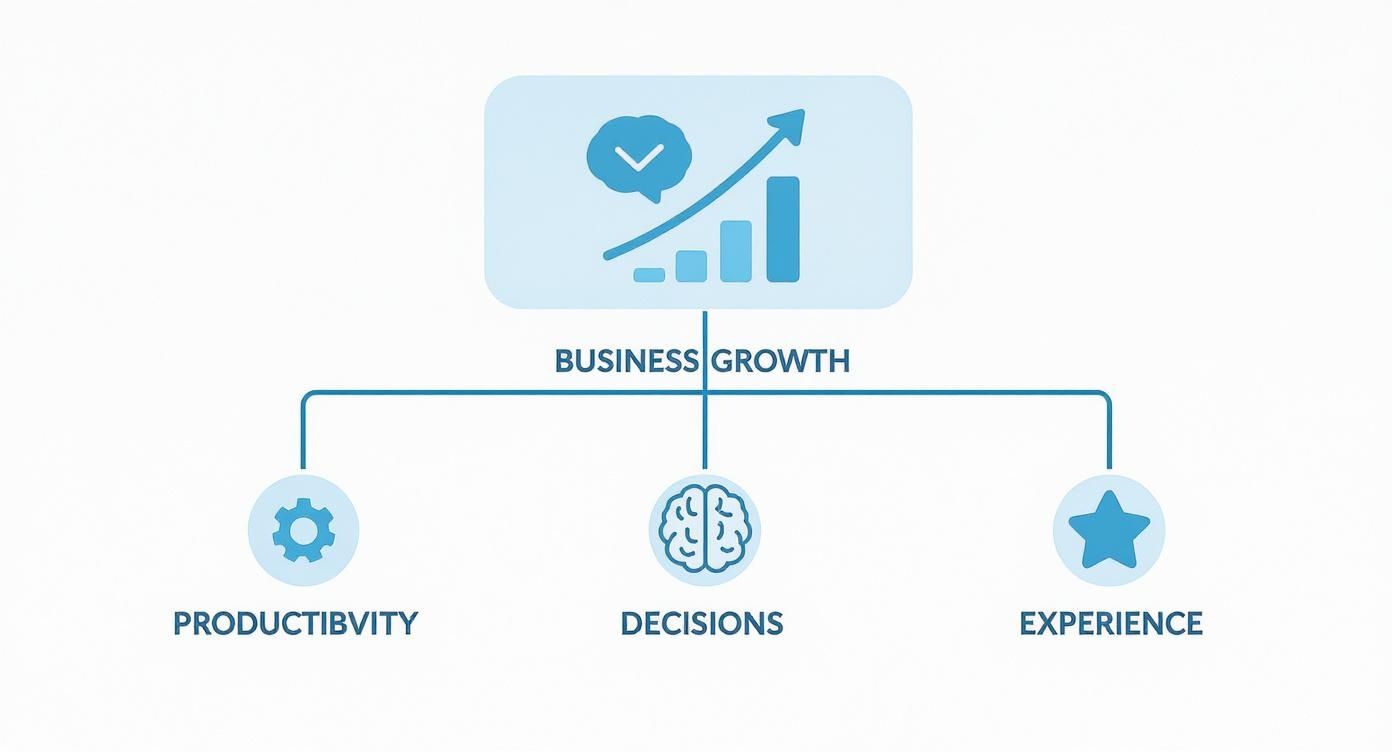
As you can see, strengthening your core operations through a well-connected tech stack is the most direct path to sustainable growth.
Native Integrations: The Plug-and-Play Option
Native integrations are the easiest to get started with. These are pre-built connectors offered directly inside a software application, usually found in an app store or marketplace. Think of them as official, ready-made adapters.
A great example is connecting your Mailchimp account to your Shopify store using the official app from Shopify's marketplace. In just a few clicks and an API key, you can sync customer lists, purchase history, and marketing preferences—no coding required.
These are ideal for common, straightforward tasks. Their biggest draw is simplicity and speed; you can often be up and running in minutes. The trade-off? They're rigid. They only do what they were built to do, with little to no room for customization.
Custom API Integrations: The Tailor-Made Solution
What happens when a native integration just can't handle your unique needs? That's when you turn to a custom solution. This involves using a software's API (Application Programming Interface) to build a connection from the ground up. An API is basically a set of rules that lets developers talk to an application and access its data and features.
Building a custom integration is like hiring an architect to design a house just for you. For example, a subscription box company might build a custom integration to sync their complex billing cycles and shipping logic with a specialized logistics provider—a workflow too specific for any native connector. You get absolute control, ensuring the end result fits your business perfectly.
Of course, that power comes with a price. Custom integrations demand skilled developers, which means a significant investment of time and money. They also need ongoing maintenance to make sure they don't break when one of the connected apps updates its API. For projects like this, sticking to software development best practices is essential for building a stable and secure connection.
iPaaS Platforms: The Flexible Middleman
There’s a powerful middle ground between native simplicity and custom complexity: Integration Platform as a Service (iPaaS). These are cloud-based tools like Zapier, Make (formerly Integromat), or Workato that act as a central hub for connecting thousands of different applications.
An iPaaS platform is like a universal translator for your entire tech stack. Instead of each app speaking a different language, the iPaaS helps them all communicate seamlessly through a single interface.
With an iPaaS, you can build complex, multi-step automated workflows using a visual, drag-and-drop editor. This opens up powerful automation possibilities for non-developers while still offering a deep level of customization.
For instance, you could build a workflow where a new row in a Google Sheet automatically creates a task in Asana and pings your team in a specific Slack channel. This turns a simple spreadsheet into a project management command center.
Comparing Integration Methods
Choosing the right integration strategy is crucial. This table breaks down the three main approaches to help you decide which one best fits your specific business needs, resources, and long-term goals.
| Integration Type | Best For | Pros | Cons |
|---|---|---|---|
| Native | Simple, common workflows between two specific apps. Quick setup is a priority. | Easy to set up, low cost (often free), officially supported. | Limited functionality, no customization, dependent on the vendor. |
| Custom API | Highly specific, complex, or mission-critical workflows. Complete control is needed. | Infinite flexibility, optimized for performance, proprietary data control. | High initial cost, requires expert developers, ongoing maintenance. |
| iPaaS | Connecting multiple apps with complex, multi-step logic. Non-developers need to build workflows. | Highly flexible, faster than custom builds, connects a wide ecosystem of apps. | Subscription costs, potential performance limitations, reliance on a third-party platform. |
Ultimately, the best choice depends on a balance of your technical resources, budget, and the complexity of the problem you're trying to solve. For many businesses, a mix of all three is the most practical solution.
5 High-Impact Integrations You Can Use Today
It’s one thing to talk about integrations in theory, but seeing them in action is where the lightbulb really goes on. To make it concrete, let's walk through five powerful examples that solve real, everyday business problems across different departments.
Think of these as blueprints you can adapt for your own company to boost efficiency and spark growth.

These aren’t just about convenience. They’re strategic connections that kill manual work, break down data silos, and give you a much clearer picture of your entire business.
Automate Your Finances with Shopify and QuickBooks
The Problem: An e-commerce store owner is manually punching in every single Shopify sale into QuickBooks. It’s tedious, takes forever, and is ripe for typos that throw off financial reports and make tax season a nightmare.
The Solution: Connect Shopify directly with QuickBooks. This integration automatically syncs every sale, refund, and fee as a perfectly categorized entry in your accounting software. All the critical details—customer info, products, taxes, shipping—are captured instantly.
Actionable Insight: Set this up to run daily. This keeps your books clean and current, gives you a real-time view of your cash flow, and frees up hours each week from mind-numbing data entry so you can focus on financial strategy instead.
Sync Sales and Marketing with Salesforce and Mailchimp
The Problem: The sales team lives in Salesforce, managing leads day-in and day-out. Meanwhile, the marketing team is running email campaigns out of Mailchimp. The two systems barely talk, so new leads fall through the cracks and existing customers get hit with generic, irrelevant marketing.
The Solution: An integration between Salesforce and Mailchimp creates a two-way street for data. When a new lead hits Salesforce, they can be automatically added to a "Welcome" sequence in Mailchimp.
Actionable Insight: Go further by syncing customer segments. Create a "VIP Customer" list in Salesforce based on purchase history. Sync this to Mailchimp to send them exclusive offers, strengthening loyalty and driving repeat business. This alignment creates a smooth, consistent experience for the customer.
Streamline Team Communication with Slack and Google Calendar
The Problem: A remote team is struggling to keep meetings straight. People are missing important calls because the notifications are buried in an avalanche of emails. It’s causing constant disruptions and slowing down projects.
The Solution: Integrate Google Calendar right into Slack. This automatically pings the right team channel with a reminder 10 minutes before a meeting starts, complete with the video link and agenda.
Actionable Insight: Use this integration to set up daily stand-up reminders in your project channels or weekly summary notifications. This simple but brilliant connection turns a passive calendar into an active, helpful assistant for the whole team, keeping everyone in the loop without them ever leaving Slack.
Connect Customer Support and Engineering with Zendesk and Jira
The Problem: A software company's support agents use Zendesk to manage customer issues. But when they find a real bug, they have to copy-paste all the details and create a separate ticket for the engineers in Jira. Information gets lost, and fixes take way too long.
The Solution: A Zendesk and Jira integration lets a support agent create a linked Jira issue directly from a customer ticket with one click. Every piece of context—customer messages, diagnostic info, screenshots—is passed over automatically.
Actionable Insight: Configure the integration so that when an engineer changes the Jira ticket status to "Done," it automatically notifies the support agent in Zendesk. The agent can then immediately follow up with the customer, creating a seamless workflow from report to resolution and making customers much happier.
Attribute Revenue to Marketing with HubSpot and Stripe
The Problem: A B2B company is using HubSpot for its marketing and Stripe to process payments. They can see how many leads their campaigns are generating, but they can't connect the dots between a specific blog post or ad and the actual revenue it brought in. They're flying blind on ROI.
The Solution: By integrating HubSpot and Stripe, payment data from Stripe is automatically sent back to the customer's contact record in HubSpot. Suddenly, the marketing team can see exactly which campaign, email, or ad convinced someone to become a paying customer. This powerful data is a cornerstone of many successful campaigns, a concept you can explore further in our detailed guide on what is growth hacking.
Actionable Insight: Use this "closed-loop" reporting to build a dashboard that tracks Customer Acquisition Cost (CAC) per channel. This finally proves marketing's value in real dollars and helps the team make much smarter decisions about where to invest their budget for the highest return.
How to Choose the Right Integration Solution
With so many tools on the market, picking the right integration solution can feel like you're lost in a maze. The key is to have a clear, strategic process. Otherwise, you risk picking a tool that ends up creating more problems than it solves. The goal isn't just to find something that works today, but a solution that can grow with you tomorrow.
The number of options is genuinely staggering. As of May 2025, there are over 900 integration software solutions out there, from simple connectors to enterprise-level platforms. But here's the kicker: despite all these choices, 71% of organizations say it still takes them at least three weeks to get a single integration up and running.
That statistic tells a powerful story. Simply buying a tool isn’t a magic fix. You need a solid framework for making a smart choice that actually lines up with what your business is trying to achieve.
Start by Defining Your Requirements
Before you even glance at a vendor’s website, you need to map out what success actually looks like for your team. The most common mistake people make is getting wowed by flashy features instead of focusing on their real-world needs.
What specific process are you trying to fix or automate? Who is going to be using this integration day-in and day-out? Getting the end-users involved—the sales reps, support agents, or accountants who will live with this connection—is non-negotiable. They’re the ones on the ground who can tell you what will actually work and what will just get in the way.
A third-party integration is only as good as its adoption rate. When you focus on your workflow and user needs first, you shift from just buying software to solving a concrete business problem.
This kind of upfront planning is a cornerstone of any successful tech rollout and a core principle behind effective digital transformation consulting services that guide businesses through operational upgrades.
Key Criteria for Evaluating Any Solution
Once you have a crystal-clear picture of your requirements, you can start looking at vendors through a much more focused lens. Don't let yourself get sidetracked by a laundry list of features. Instead, zero in on these four pillars that really determine whether an integration will be a long-term asset or a short-term headache.
- Scalability: Can this solution handle your growth? Actionable Tip: Ask vendors for performance benchmarks. A tool that works perfectly for 100 transactions a month might completely fall apart at 10,000.
- Security and Compliance: How is your data being protected? Actionable Tip: Request a copy of their security compliance report (e.g., SOC 2 Type II) and review their data encryption methods. This is non-negotiable for sensitive customer or financial data.
- Total Cost of Ownership (TCO): Look beyond the monthly subscription fee. Actionable Tip: Create a spreadsheet to factor in implementation fees, mandatory training, ongoing maintenance, and potential overage charges for data volume. A cheap tool can get expensive fast.
- Ease of Use: Is the platform actually intuitive? Actionable Tip: Insist on a free trial or a sandbox environment and have your actual team members try to build a simple workflow. This is the best way to test if it empowers your team or creates a bottleneck.
Ask the Tough Questions Before You Sign Anything
Think of the vetting process like an interview—you're hiring a critical new piece of your technology stack. You need to come prepared with specific, pointed questions that show you how a vendor really operates, especially when things don't go as planned.
Here are a few essential questions to get you started:
- How do you handle API changes from connected apps? When a platform like Salesforce or Shopify updates its API, it can break existing integrations. A reliable partner will have a proactive plan to manage these changes with little to no disruption for you.
- What does your standard support package actually include? Get clarity on their support hours, average response times, and the channels you can use (email, phone, chat). You need to know what kind of help you're entitled to before there's a problem.
- Can you connect me with a reference customer who has a similar use case? Talking to a current customer who has already solved a problem like yours is one of the best ways to get an honest, unfiltered look at the product and the company.
Choosing the right integration solution is a major strategic decision. By clearly defining your needs, evaluating vendors against these core criteria, and asking the right questions, you can find a partner that will become a powerful asset for your business.
Best Practices for Managing Your Integrations
Getting your third-party integrations up and running is just the starting line. The real work—and the real value—comes from managing and maintaining them over the long haul. Without a solid plan, what was once a smooth-running machine can quickly turn into a source of technical debt and a major headache for your business.
Think of your integrations less like a "set it and forget it" appliance and more like a living part of your tech stack. They need regular attention to stay reliable, secure, and ready for whatever changes come their way.
Establish Robust Security and Monitoring
First things first: you have to protect the data moving between your systems. Integrations can be a weak link in your security chain if you're not careful, so they deserve the same level of attention as your core applications.
Start with the basics: strong authentication and encryption for data, both when it's moving and when it's sitting still. But don't stop there. You absolutely need automated monitoring and alerting. These systems are your early-warning signals, flagging everything from failed data syncs to weird API activity. Trust me, finding out about a problem at 3 AM from an automated alert is a whole lot better than hearing about it from an angry customer at 9 AM.
A well-managed integration is a secure one. Proactive monitoring isn't just about fixing what's broken; it's about spotting vulnerabilities and performance dips before they can actually hurt your business or expose sensitive data.
Prioritize Clear and Thorough Documentation
I know, I know—documentation is everyone's least favorite task. But it’s one of the most critical parts of a healthy integration strategy. Think of it as a user manual for your future self or for the next person who has to work on it. Without good docs, troubleshooting becomes a painful, time-sucking forensic investigation.
Your documentation should be crystal clear on a few key things:
- Data Mapping: Spell out exactly which data fields are going where. For instance, note that the
customer_emailfield in your Shopify store maps to theprimary_emailfield in Salesforce. - Error Handling: What happens when things go wrong? Detail the automated retry logic and outline who gets notified (and how) for different types of failures.
- Authentication Details: Keep credentials and API keys in a secure vault, but document where they are and when they need to be renewed.
- Business Logic: This is the why. Explain the business rules the integration follows so everyone understands its purpose, not just its function.
Plan for Inevitable Software Updates
Here's a hard truth: the software you connect to will change. APIs get updated, new features roll out, and sometimes platforms get a complete makeover. One of the most common reasons third party integrations break is when a vendor pushes an update that you weren't ready for.
You can get ahead of this by keeping a close eye on your vendors' product roadmaps. Subscribe to their developer newsletters and pay special attention to API deprecation notices. As soon as you hear about a change, start planning how you'll test and update your integration—long before the deadline hits. This simple habit can save you from the kind of preventable downtime that no business can afford.
Frequently Asked Questions
When you start digging into third-party integrations, a lot of questions come up. It's a big topic. Here are some clear, simple answers to the most common ones we hear from businesses just getting started.
What’s the Difference Between an API and an Integration?
It’s easy to mix these two up, but the distinction is pretty simple.
Think of an API (Application Programming Interface) like a menu at a restaurant. The menu lists what the kitchen can make and tells you how to order it. It’s a set of rules and definitions that lets different software programs talk to each other.
An integration, on the other hand, is the whole process of ordering, cooking, and getting your food. It’s what uses the API to create a working connection between two systems, allowing them to automatically share data and trigger actions. The API is the messenger; the integration is the complete, functional bridge.
How Can I Make Sure My Integrations Are Secure?
This is a big one. Any time you connect systems, especially if they handle customer or financial data, security has to be front and center. You can't just set it and forget it.
Protecting the data flowing through your third party integrations requires a few key steps:
- Do Your Homework on Vendors: Before you even think about connecting a tool, dig into its security practices. Look for things like data encryption standards and compliance certifications (SOC 2, GDPR, etc.). A reputable partner will be transparent about this.
- Lock Down Access: Never use raw passwords or API keys if you can avoid it. Stick to secure authentication methods like OAuth 2.0. And just as important, grant the integration the absolute minimum permissions it needs to do its job—nothing more.
- Keep an Eye on Things: You need to monitor your integrations. Set up alerts that will tell you if something strange is happening, like a sync that keeps failing or an unauthorized access attempt. Catching a small issue early can prevent a massive headache down the road.
What’s a Realistic Integration Budget for a Small Business?
Honestly, the cost of third party integrations is all over the map. You could be looking at anything from free to tens of thousands of dollars.
For a small business, it really boils down to the complexity of what you need.
A simple, built-in integration between two major platforms (like Mailchimp and Shopify) might not cost you anything extra. If you use a tool like Zapier or Make, you could be looking at $20 to $100 a month for some solid automation. But if you need a fully custom solution built by a developer, that's a different story—those projects typically start in the thousands and go up from there.
Ready to build a powerful, connected ecosystem for your business? Pixel One specializes in creating custom integrations and web applications that drive real results. Transform your separate tools into a unified powerhouse by visiting us at https://www.pixelonelabs.com.