
Top UX UI Design Agency for Exceptional Digital Products
Partner with a trusted ux ui design agency to create engaging digital experiences that drive user engagement and business growth.Think of a top UX UI design agency as both the architect and the interior designer for your digital product. They’re the specialists who figure out the best way to build your app or website (the architecture) and then make sure it looks and feels fantastic for everyone who uses it (the interior design).
Their job isn't just to make things pretty. It's to blend a deep understanding of human behavior with sharp visual design, creating experiences that are intuitive, effective, and directly support your business goals.
What a UX UI Design Agency Actually Does
Imagine you're building a house. You wouldn't just start throwing up walls and hope for the best, right? You'd hire an architect to create a solid blueprint. A UX/UI agency does the same for your digital presence, mapping out the entire user journey before a single pixel is placed.
Their work starts with research—getting inside the heads of your users to understand their frustrations, needs, and motivations. This groundwork ensures the final product is built on a foundation of real data, not just guesswork. For example, a travel app might discover through research that users are most frustrated by hidden fees, so the agency would prioritize designing a transparent pricing display early in the booking process.
Bridging Business Goals and User Needs
At its core, a UX/UI agency's job is to act as a translator. They take what your business wants to accomplish and turn it into a digital experience that your customers will genuinely enjoy using. It’s a delicate balancing act that combines business strategy with a real-world understanding of user psychology.
Let's say your main goal is to reduce customer support tickets. An agency won't just suggest adding a bigger FAQ section. Instead, they’ll dig deeper and provide actionable insights, such as:
- A simpler onboarding flow: Designing interactive tooltips that guide new users through key features, preventing common initial questions.
- A smarter information layout: Reorganizing your dashboard to place the most-used features front and center, based on user analytics.
- Real-world usability testing: Watching users try to complete a task (like changing their password) and identifying the exact point where they get stuck, then redesigning that specific screen.
Here's a powerful stat to keep in mind: A well-designed user interface can increase your website’s conversion rate by up to 200%, and a better UX design could boost it by as much as 400%. This shows how thoughtful design isn't just an expense—it's a direct driver of business growth.
The Two Sides of the Design Coin
To really get what these agencies do, you have to understand the two critical parts of their work: User Experience (UX) and User Interface (UI). They are completely different, yet they depend entirely on each other.
The infographic below breaks it down perfectly. Think of UX as the structural blueprint and UI as the final fit and finish.
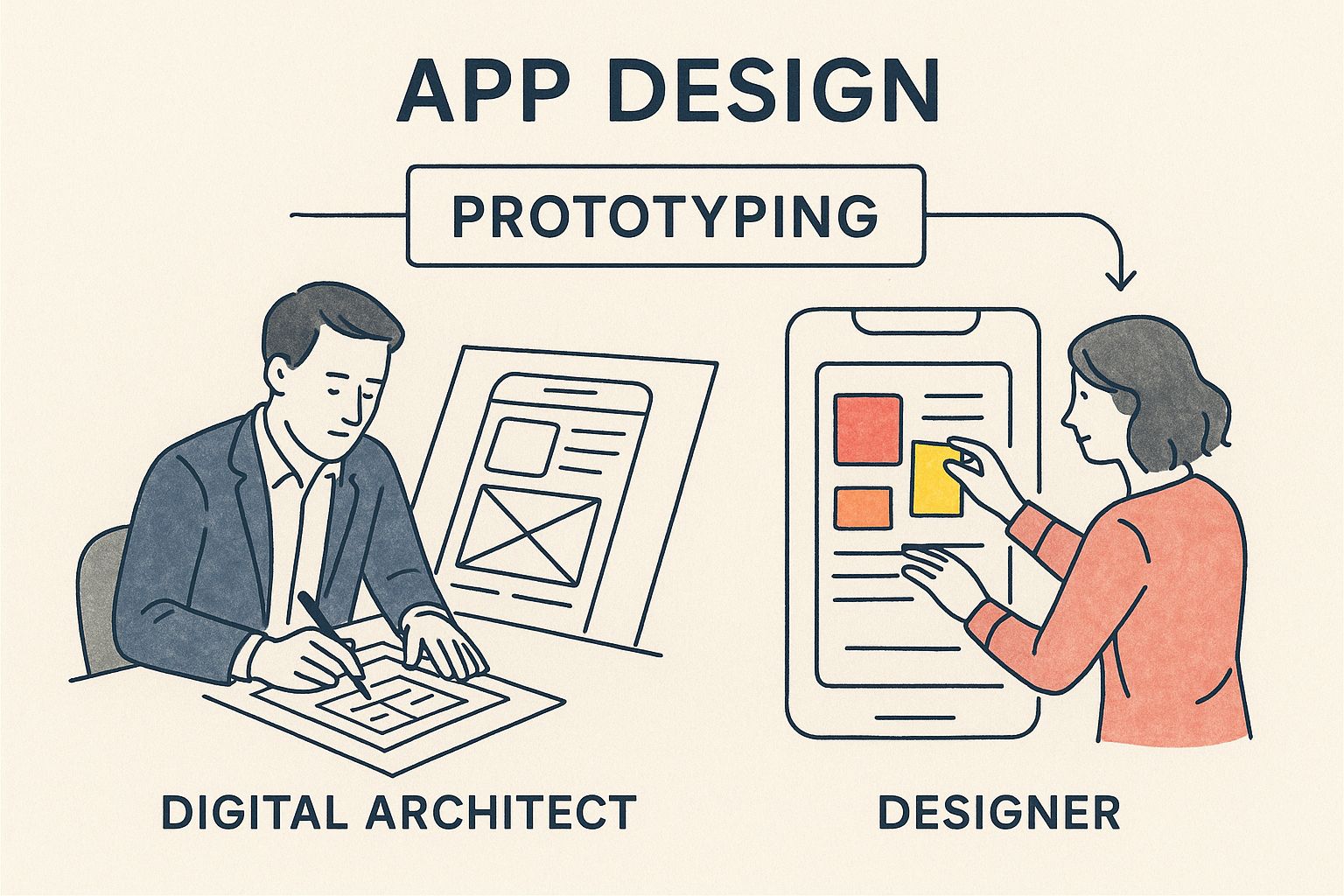
One simply can't succeed without the other. A brilliant blueprint is useless if the final construction is shoddy, and the most beautiful interior design can't save a building with a cracked foundation. By figuring out where the weaknesses are—in either the UX or the UI—you can start making meaningful improvements. A great first step is often a professional UX design audit, which will measure your product's current performance against industry best practices.
The Core Services That Build Great Products
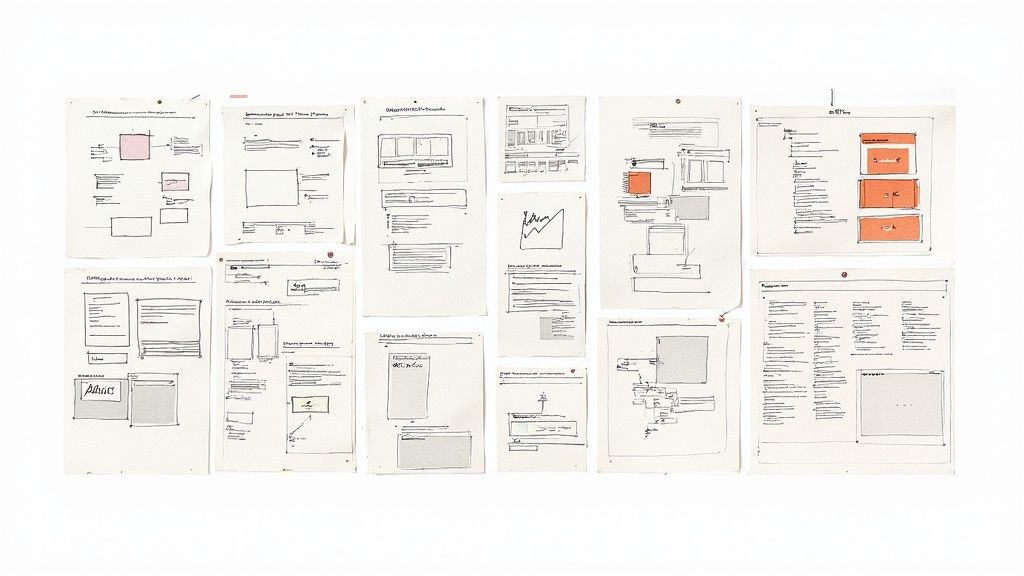
Turning a brilliant idea into a product people love isn't about a single "eureka!" moment. It’s a disciplined, step-by-step journey, and a professional UX/UI design agency acts as the seasoned guide. They navigate this path through a series of connected services, each one building on the last.
This structured approach ensures the final product isn’t just easy on the eyes, but is also intuitive, effective, and perfectly in sync with what users actually need. And it all starts long before a single pixel is placed.
H3: Starting with User Research
This is the foundation. User research is all about getting to know the people who will actually use your product—what they need, what drives them crazy, and how they solve problems today. If you skip this, you’re essentially designing with a blindfold on, running on assumptions that can lead to expensive missteps.
An agency dives deep, first identifying your target audience and then using a mix of methods to understand them. This goes way beyond simply asking people what they want; it’s about observing their real-world behaviors to uncover needs they might not even be able to articulate.
Practical research activities include:
- User Interviews: A practical insight from this could be learning that your "power users" ignore a key feature because they can't find it, prompting a menu redesign.
- Surveys and Questionnaires: These can provide hard data, like discovering that 70% of users abandon their cart because of unexpected shipping costs, a clear signal to fix pricing transparency.
- Persona Development: Creating detailed profiles like "Marketing Manager Maria," who needs to quickly generate reports on the go. This persona guides design decisions to ensure the mobile reporting feature is robust and easy to use.
- User Journey Mapping: Charting out every step a person takes, for instance, from seeing a social media ad to making a purchase. This map might reveal that the step between the ad and the product page is confusing, showing a clear opportunity for improvement.
This initial deep dive ensures every design choice that follows is based on solid evidence, not guesswork.
H3: Crafting the Blueprint with UX Design
Once the agency has a firm grasp of the user, the User Experience (UX) design work begins. This is where the product’s skeleton and nervous system are mapped out. Think of it like an architect creating the blueprints for a house—it defines the layout, the flow between rooms, and the overall function long before anyone starts picking out paint colors.
The goal here is pure function: making the product logical, efficient, and dead simple to navigate. This is done using rough sketches and interactive models to test ideas quickly and cheaply.
At this stage, it’s all about function over form. The focus is entirely on creating a smooth, intuitive path for the user to get things done.
Key UX deliverables include:
- Wireframes: A practical example is a wireframe for a sign-up page that intentionally places the "Sign Up with Google" button in a more prominent position than the email form, based on research that users prefer social logins.
- Prototypes: A clickable prototype allows you to test whether users can successfully complete a task, like adding an item to their cart and checking out, before any code is written.
This cycle of wireframing and prototyping is essential. It lets the team fine-tune the product's core structure without getting distracted by colors and fonts, which is a key part of the comprehensive digital product development services that bring ideas to market.
H3: Bringing the Vision to Life with UI Design
With a solid UX blueprint in hand, it's time for the User Interface (UI) design. This is where the product gets its personality. If UX is the sturdy skeleton, UI is the skin, the clothes, and the style that brings it to life.
A UI designer uses color, typography, imagery, and animation to create a visually engaging and emotionally resonant experience. It’s not just about making it pretty; it's about using visual cues to guide the user and reinforce your brand's identity.
For example, a banking app would use a clean, trustworthy color palette (like blues and greens) and crisp fonts to build confidence. In contrast, a children's learning app would use bright colors, playful fonts, and fun animations to create excitement and engagement.
UX vs UI Design: A Practical Breakdown
It’s easy to get UX and UI confused, but they are two distinct disciplines that work in tandem. This table breaks down the key differences in a practical way.
| Aspect | UX Design (The Blueprint) | UI Design (The Finishes) |
|---|---|---|
| Focus | The overall feel and usability of the experience. | The look, feel, and interactivity of the product's surface. |
| Goal | To solve the user's problem efficiently and intuitively. | To create an aesthetically pleasing and emotionally engaging interface. |
| Methods | User research, journey mapping, wireframing, prototyping. | Visual design, typography, color theory, animation, branding. |
| Deliverable | Wireframes, user personas, site maps, interactive prototypes. | Mockups, design systems, style guides, icons, illustrations. |
Ultimately, UX makes a product useful, while UI makes it beautiful and delightful to use. You absolutely need both for a successful digital product.
Core components of UI design include:
- Visual Identity: A practical example is selecting a specific shade of red for all error messages and a shade of green for success notifications, creating an intuitive visual language for the user.
- Design Systems: Building a library of reusable buttons. This ensures that the "Submit" button looks and acts the same on every page, creating consistency and speeding up development.
- Interactive Elements: Designing a button that depresses slightly and shows a loading spinner after being clicked. This small animation provides immediate feedback that the system is working.
H3: Validating Decisions with Usability Testing
Finally, after all that hard work, it's time for a reality check. Usability testing is where the shiny new design gets put in front of real people to see how it holds up. This is the moment of truth that validates (or challenges) all the assumptions made along the way.
In a typical session, a user is given a task, such as "Find a flight from New York to London for next Tuesday," while a facilitator observes. The goal is to spot points of friction. Did they struggle to find the date picker? Did the final price confuse them? This feedback is pure gold.
Those actionable insights are then used to refine the design, sanding off the rough edges before the product goes live. This cycle of building, testing, and improving is what separates the good products from the truly great ones.
The Real Business Impact of Expert Design
https://www.youtube.com/embed/xs-T2oMfxV8
Bringing in a professional UX/UI design agency is about much more than just making things look good. It's a strategic move that directly impacts your bottom line. While a sharp visual design is part of the equation, the real magic happens when expert design shapes user behavior, builds rock-solid trust, and fuels real business growth.
When design is truly effective, it’s practically invisible. It works quietly in the background, effortlessly guiding people toward their goals—which, in turn, helps you meet your business objectives. It takes what could be a complicated process and turns it into a simple, satisfying interaction that keeps people engaged and happy to return.
Turning User Experience into Revenue
Think of every point of friction in your digital product as a potential leak in your revenue funnel. A clunky navigation menu, a confusing sign-up form, or a page that takes forever to load—each one is an opportunity for a potential customer to give up and head straight to your competitor. A design agency's core mission is to find and plug those leaks.
Take an e-commerce site, for instance. A classic UX win is streamlining the checkout process. A practical example is reducing a five-step checkout to a single page or implementing express payment options like Apple Pay. This one change can dramatically slash cart abandonment rates and create an immediate, measurable lift in sales.
Another powerful example is a smooth onboarding experience. A well-designed onboarding flow for a project management tool might guide a new user to create their first project and invite a team member within minutes. This helps them see the product's value immediately, making it far more likely they’ll stick around and upgrade. This is the heart of strategies like product-led onboarding, where the product itself becomes your best sales tool.
Boosting Conversions Through Intuitive Design
A seamless user experience is directly tied to higher conversion rates. It’s simple: when people can easily find what they're looking for and take action without getting frustrated, they are far more likely to convert. That could mean making a purchase, signing up for a newsletter, or booking a demo.
The numbers back this up in a big way. A well-designed user interface (UI) can nearly double conversion rates, and a truly great user experience (UX) can quadruple them. This shows that simplicity and clarity aren't just nice-to-haves; they're powerful business drivers. For 94% of users, easy navigation is the most important website feature, and that same percentage will distrust or leave a site with poor design. You can see more compelling stats on design's impact that really drive this point home.
An actionable insight from a design agency might be to change a vague "Submit" button to a more descriptive "Get Your Free Quote" on a landing page. This small tweak clarifies the user's action and has been shown to increase form submissions significantly.
This methodical, user-centered approach creates a compounding effect, delivering better and better business results over time.
Building Lasting Brand Credibility and Loyalty
For many customers, your website or app is the main way they interact with your brand. A polished, consistent, and intuitive interface communicates professionalism and reliability. It builds a sense of trust that you just can't buy—and it's absolutely essential for creating long-term customer relationships.
It’s like the difference between walking into a clean, well-organized store and one that’s messy and chaotic. The first one makes you feel confident and comfortable. The second makes you want to turn around and walk right out. Your digital presence works the exact same way.
A UX/UI design agency helps build this credibility by focusing on a few key areas:
- Creating a Cohesive Design System: This ensures every button, font, and color is consistent. A practical benefit is that users don't have to re-learn your interface as they move between your website and your mobile app.
- Prioritizing Accessibility: This means designing for everyone. A concrete example is ensuring your forms have clear labels so someone using a screen reader can easily fill them out. This not only opens up your market but also builds tremendous goodwill.
- Crafting Delightful Micro-interactions: A practical example is the small animation when you "like" a post on social media. These tiny details make an interface feel responsive and enjoyable, elevating the experience from just functional to memorable.
Ultimately, this relentless focus on a high-quality user experience doesn't just win you a sale; it creates loyal customers who stick around and become advocates for your brand. That loyalty translates directly into a higher customer lifetime value (CLV) and a much stronger, more resilient business.
What Modern Design Agencies Are Focused On
The world of digital design moves fast. What felt fresh five years ago can seem ancient today, so a forward-thinking UX UI design agency has to constantly evolve just to stay in the game. They aren't just chasing trends; the best ones are shaping what comes next, building products that feel relevant now and are ready for the future.
This means looking past the usual design playbook and weaving new tech and methods into everything they do. The top agencies act as true partners, guiding clients through this shifting environment with a sharp focus on innovation, smart workflows, and creating experiences that genuinely work for everyone.
Putting Artificial Intelligence to Practical Use
Artificial intelligence isn't science fiction anymore. It's a real tool that smart design agencies are using to work faster and more efficiently. The key is to see AI for what it is: not a replacement for talented designers, but a powerful assistant that takes the grunt work off their plates.
By automating repetitive tasks, AI frees up human designers to focus on what they're uniquely good at—strategy, creative problem-solving, and understanding users on a deep, human level.
A practical example of an agency using AI is:
- Whipping up initial concepts: Using a tool like Midjourney to generate mood board images or logo ideas in minutes, sparking creativity for a new branding project.
- Automate asset creation: A plugin that automatically generates different sizes and formats of an icon set for iOS, Android, and web, saving hours of manual work.
- Analyze user data: Using AI to analyze thousands of user survey responses to identify common themes, like "confusing checkout," far faster than a human could read them all.
AI isn’t just a buzzword; it’s a productivity multiplier. By handling the tedious stuff, it lets designers pour their energy into high-value work like user research, strategic thinking, and perfecting the core experience.
Generative AI is making this shift happen even faster. Right now, around 65% of organizations are using generative AI somewhere in their business, a number that has almost doubled in just a year. This shows just how vital AI-powered tools are becoming in the design world. You can explore more insights on AI's role in UX design to get a better sense of how big this change really is.
Designing for Everyone with Accessibility and Inclusion
Another huge shift is the move toward inclusive design and accessibility. A modern UX UI design agency gets it: a truly successful product is one that anyone can use, no matter their physical or cognitive abilities. This isn't just about doing the right thing—it’s a massive business opportunity.
When you design with accessibility in mind, you're building products that work for people with visual impairments, hearing loss, or motor challenges. This means following established standards like the Web Content Accessibility Guidelines (WCAG), which offer a clear roadmap for creating inclusive digital products.
Here’s what that looks like in practice:
- Using high color contrast so text on a button is clearly legible against its background for someone with low vision.
- Adding alt text to images so a screen reader can announce, "A golden retriever catching a red frisbee," allowing a user who is blind to understand the image's content.
- Enabling keyboard navigation so a user who cannot use a mouse can still tab through every link, button, and form field on a webpage.
This approach immediately widens your audience, making your product useful to more people. Beyond that, it builds serious brand loyalty by showing that you care about every single user. When you partner with an agency that makes this a priority, you're not just checking a box. You're investing in a better, more ethical product that serves a much larger community. This focus is a central piece of today's digital transformation consulting services, which set businesses up for lasting success.
How to Choose the Right UX UI Design Agency
Picking the right agency for your project is less like hiring a vendor and more like choosing a co-pilot. The right partner becomes a true extension of your team, someone who is just as invested in your success as you are. Get this wrong, and you’re looking at blown budgets, missed deadlines, and a product that just doesn’t land with your users.
Making a smart decision means going beyond the slick presentations and really digging into how they work. It’s a process of evaluating their past projects, understanding their methods, and seeing how they collaborate. This framework will help you find an agency with not just the right skills, but the right cultural fit for your team.
Analyze Their Portfolio for Relevant Work
A portfolio is more than a gallery of pretty designs—it’s a track record of solving problems. As you review their work, don't just get distracted by the visuals. Look for evidence that they’ve tackled challenges similar to yours.
If you're building a complex B2B SaaS platform, an agency that only shows off simple e-commerce sites probably isn't the right fit. You need to see projects that prove they understand your type of user, your industry’s constraints, and the technical complexity you’re dealing with.
Here are a few actionable green flags to look for:
- Industry Experience: Have they designed a fintech app before? They will already understand compliance constraints and user expectations for security.
- Product Complexity: Look for examples of complex dashboards or multi-step workflows, not just beautiful landing pages, if your project requires them.
- Consistent Quality: Check their Dribbble or Behance profiles. Is the quality high across all public work, or just the main portfolio pieces? Consistency shows a reliable process.
Scrutinize Case Studies to Understand Their Process
While a portfolio shows you what they made, a case study reveals the all-important how and why. This is your window into their strategic thinking. A good case study isn’t just a collection of final screens; it tells the story of how they solved a genuine business problem.
A great case study focuses less on the design challenges and more on the client's pain points. A practical example would be a case study that starts with "Our client was losing 40% of users during onboarding" and ends with "Our redesign cut the drop-off rate to 10% in three months."
Look for case studies that walk you through their entire journey—from initial user interviews and research to wireframing, prototyping, and final handoff. Do they explain the rationale behind their design decisions? Even better, do they share metrics that prove their design actually worked, like a boost in user engagement or a drop in churn? That's how you know they’re focused on results, not just aesthetics.
Assess Their Communication and Collaboration Style
An agency’s technical skill is a given, but their communication and collaboration style is what makes or breaks a project. Things can go off the rails fast if communication is clunky, feedback loops are slow, or the agency isn't proactive.
Pay close attention to how they act during your first few conversations. Are they asking sharp questions to understand your business goals, or are they just waiting for their turn to pitch? A real partner is curious from day one.
A key sign of a great partner is how they treat your input. They should view you as the expert on your business and actively seek your insights throughout the design process. An actionable way to test this is to see if they use a shared Slack channel or a tool like Figma for real-time collaboration.
Think about whether their workflow meshes with your team’s. Do they work in agile sprints with frequent check-ins, or do they prefer a more traditional approach? The right agency will feel like a natural fit. This is especially true for new products, where you need a partner who gets the iterative nature of building something from scratch. An experienced MVP development agency will have processes built for speed, learning, and close collaboration.
Ask the Right Questions
Once you have a shortlist, it’s time to ask some direct questions. The goal isn't to trip them up, but to make sure you’re both perfectly aligned before signing anything.
Here are a few essential questions to get you started:
- How do you measure the success of a project? Look for answers that go beyond "a happy client." You want to hear about specific metrics like conversion rates, user retention, or task completion times.
- What does your feedback and iteration process look like? A good agency will have a clear, structured system for taking in feedback and acting on it, often using tools like Figma or InVision for comments.
- Can we speak to a few of your past clients? Talking directly to former clients gives you the real, unfiltered story of what it’s like to work with them.
- Who will be on our team, and will they be dedicated to our project? You want a focused team, not one juggling a dozen other clients.
- How do you handle disagreements or unexpected roadblocks? This question reveals their problem-solving skills and shows you whether they’re committed to a true partnership when things get tough.
By taking a systematic approach, you can cut through the noise and find a partner who will help you build a product that people will actually love to use.
A Few Common Questions
If you're thinking about working with a UX/UI design agency, you probably have a few questions. That's a good thing. To help you get clear, we've answered some of the most common ones we hear about cost, timelines, and how the whole process works.
So, How Much Does This Actually Cost?
This is usually the first thing people ask, and the honest answer is: it depends. The cost is a moving target based on the agency's experience, where they're located, and just how big your project is. A simple website refresh is a completely different beast than designing a complex software platform from scratch.
Generally, agencies structure their pricing in one of three ways:
- By the Hour: This works well for smaller jobs or if you need ongoing help. In the US, you can expect rates to fall anywhere between $75 and over $200 per hour, depending on the agency's reputation.
- Fixed Project Price: If you have a really clear scope and a defined set of deliverables, this is the way to go. A project like designing a mobile app MVP, for example, could land anywhere from $30,000 to $80,000.
- Monthly Retainer: Perfect for long-term relationships. Here, the agency basically becomes an extension of your own team, providing consistent support for a set fee each month.
Whatever the model, always insist on a detailed proposal that breaks down every line item. You should never have to guess where your money is going.
How Long Is This Going to Take?
Just like cost, the timeline is tied directly to the complexity of the work. A quick UX audit might be wrapped up in a couple of weeks, but designing and launching a full-blown product can easily take several months.
Here’s a practical breakdown of how the phases might look for a medium-sized app:
- Discovery & Research: 2-4 weeks
- UX Design (Wireframing & Prototyping): 4-8 weeks
- UI Design (Visuals & Branding): 3-6 weeks
- Usability Testing & Tweaks: 2-4 weeks (and this often happens throughout the project)
A professional UX UI design agency will give you a clear roadmap with dates and milestones. Just remember, your team's feedback is a huge part of this. Delays in providing input or approvals can definitely stretch the timeline.
What’s My Role in All of This?
You are absolutely critical to the project's success. The best outcomes happen when the relationship feels like a true partnership, not like you've just hired a vendor to do a task. You're the expert on your business and your customers—the agency needs that insight to build something that actually delivers.
Your main job is to be an active, engaged partner. For example, you should plan to be available for a 1-hour weekly check-in call and provide feedback on designs within 24-48 hours to keep the project moving smoothly.
Plan on being part of regular check-ins and workshops. The more you put into the process, the more you'll get out of it. The agency will drive the design, but your strategic vision is the fuel.
How Do We Know if the New Design Is a Success?
Success shouldn't be a gut feeling; it should be backed by data. Before any work starts, you and the agency should sit down and agree on the specific Key Performance Indicators (KPIs) that matter to your business.
Practical KPIs you can track include:
- Conversion Rates: Are more people completing the sign-up form? (Track with Google Analytics)
- User Retention: What percentage of new users return after 7 days? (Track with a tool like Mixpanel)
- Task Completion: Can users successfully find and use a new feature? (Measure with usability testing)
- Fewer Support Tickets: Has the number of tickets related to "can't find X" decreased? (Track with your helpdesk software)
By tracking these numbers before and after, you get a crystal-clear picture of the return on your investment. It’s the difference between hoping the design works and knowing it does.
Ready to transform your digital product with a team that delivers measurable results? Pixel One is a digital product studio that partners with startups and enterprises to turn ambitious ideas into scalable, user-loved products. Let's build something amazing together.