
How to Conduct User Interviews: A Practical Guide
Discover how to conduct user interviews effectively, choose the right participants, and turn conversations into actionable product insights.At its heart, a user interview is just a focused conversation. It's a structured chat designed to pull out real-world insights about how someone experiences a product, a service, or a problem. The whole process really comes down to a few key things: defining a sharp goal, finding the right people to talk to, asking thoughtful, open-ended questions, and then making sense of all that feedback to guide your decisions.
This structured approach is what separates truly actionable feedback from a bunch of casual, interesting-but-useless chatter. For example, instead of just hearing "I don't like the new report," you'll learn why: "The way the data is grouped makes it impossible for me to pull the weekly sales numbers I need for my Monday morning meeting." That's an insight you can act on.
Laying the Groundwork for Insightful Interviews
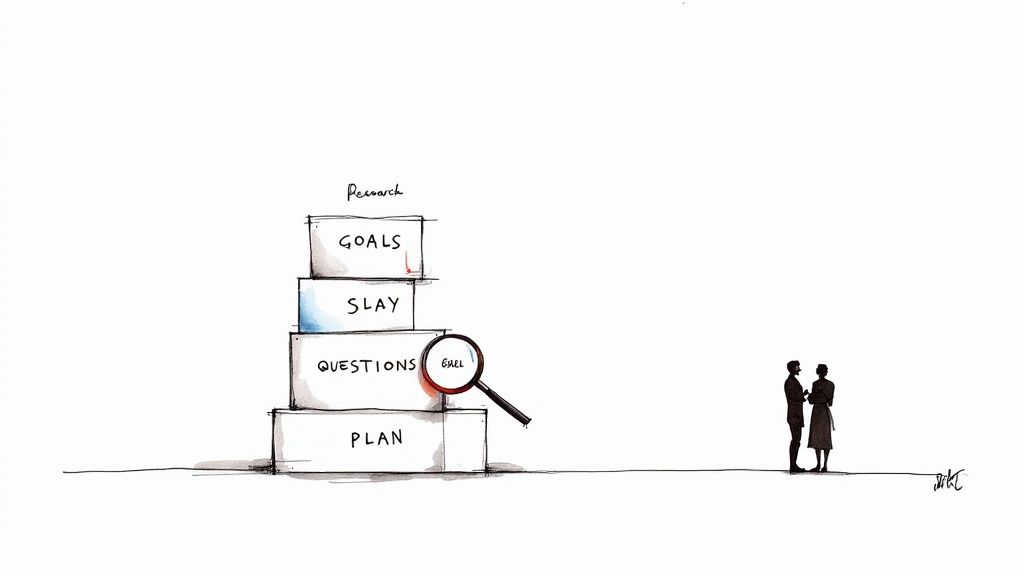
Long before you sit down with your first participant, the real work has already started. Meaningful user interviews don't just happen; they're built on a solid foundation of clear, focused research goals. You have to move past vague objectives like "understanding our users" and get specific. The key is to define precise questions that will drive the entire effort.
This initial clarity is everything. It's what turns a pile of random notes into genuine insights that can actually shape a product. It's no wonder that over 55% of organizations saw a major jump in demand for user research last year. The companies that bake user interviews into their development process see real results—83% report better product usability and 63% see higher customer satisfaction.
From Vague Ideas to Specific Goals
A weak goal sounds something like, "See what users think of our new feature." It’s passive, broad, and doesn’t give you a clear direction. A strong goal, on the other hand, is much more pointed: "Identify the specific friction points users encounter when setting up their profile for the first time." See the difference? It's active, measurable, and tied directly to a user action.
To make this crystal clear, I've put together a table comparing weak, fuzzy goals with strong, actionable ones.
Defining Strong vs. Weak Research Goals
| Weak Research Goal | Strong Research Goal | Why It's Better |
|---|---|---|
| Do users like our new dashboard? | Determine which data points on the new dashboard are most critical for a project manager's weekly reporting workflow. | It focuses on a specific user persona (project manager) and a concrete task (weekly reporting), making the insights directly applicable. |
| Learn about the checkout process. | Uncover the primary reasons for cart abandonment between the shipping details page and the payment confirmation page. | It pinpoints a specific, high-impact drop-off point in the user journey, leading to targeted fixes. |
| See what users think of our app. | Identify the top three tasks our power users are trying to accomplish during their first session of the day. | It narrows the scope to a key user segment ("power users") and a specific time frame, revealing critical daily habits. |
Getting this specific ensures every question you ask and every person you recruit is there for a reason.
The true measure of a research goal isn’t how broad it is, but how actionable its answer will be. If the answer won’t help you make a specific design or strategy decision, the goal needs more focus.
Building a Simple Research Plan
Don't panic—a research plan doesn't need to be a 50-page thesis. Think of it as a simple, one-page guide to get your team and stakeholders on board and to keep your project from drifting off course.
A practical plan should include:
- Background: One or two sentences on why you're doing this. Example: "We've seen a 30% drop-off in our onboarding flow and need to understand why."
- Goals: 2-3 of your strong research goals from the step above.
- Participants: Who are you talking to? Example: "6-8 new users who signed up in the last month but haven't completed a project."
- Timeline: A rough schedule for recruitment, interviews, and synthesis.
- Key Questions: 5-7 high-level questions you want to answer.
This plan is all about translating your goals into tangible steps, much like how learning how to create wireframes helps give structure to an abstract idea. A simple document like this aligns everyone and makes sure the insights you work so hard to gather will actually be put to good use.
Finding and Recruiting the Right People for Your Interviews
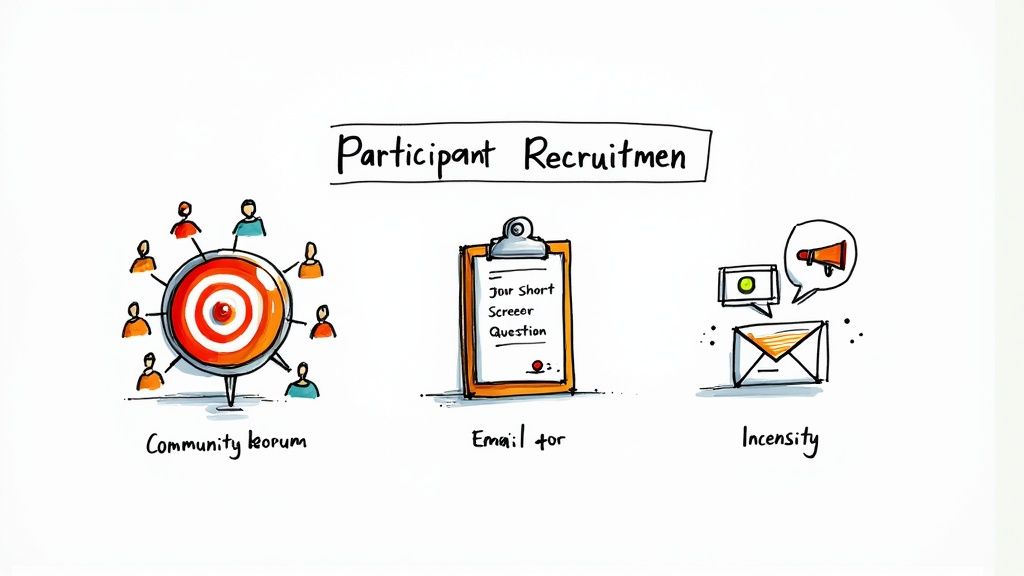
Let's be blunt: the insights you gather are only as good as the people you talk to. The goal isn't just to find anyone willing to chat for an hour. It's to find people who genuinely live and breathe the problems you're trying to solve.
This is a critical step, and frankly, it's where a lot of research projects fall apart. Getting it wrong leads to skewed data and, worse, building a product based on flawed assumptions.
Imagine you're designing a high-end project management tool for massive enterprise teams. Chatting with a solo freelancer about their workflow might be interesting, but their feedback won't help you build the right features for your actual audience. You absolutely have to connect with the right people.
Where to Actually Find Your Ideal Participants
So, where are these people hiding? The truth is, they're all over the place. A blended approach usually works best, letting you cast a wide net without sacrificing quality.
- Your Own Backyard (Your Customer List): This is the lowest-hanging fruit and often the most valuable. These people are already invested enough to use your product, and they have real, firsthand experiences to share. A quick, targeted email to a specific segment of your users can work wonders. Actionable Tip: Use your analytics to find users who recently used a specific feature you're researching and email them directly.
- Go Where They Go (Niche Online Communities): Don't expect your ideal users to just come to you. You need to find their digital water coolers. Think about relevant Subreddits (like r/projectmanagement), private Slack or Discord communities, or industry-specific Facebook Groups. Be a respectful member of the community, don't just spam your request.
- The Pros (Recruitment Platforms): Sometimes, you just need to save time. Services like User Interviews or Respondent are built for this. They maintain huge pools of participants that you can filter by incredibly specific criteria, from job titles to software usage. It costs money, but it can save you days or even weeks of manual searching.
Writing Screener Questions That Don't Suck
A good screener survey is your gatekeeper. It's designed to weed out the wrong people and let the right ones through, all without tipping them off to the "correct" answers.
The secret? Ask about past behavior, not opinions or hypotheticals.
For example, a terrible screener question is, "Are you an organized person?" Everyone thinks they are, so everyone will say yes. It tells you nothing.
Instead, try a behavioral prompt:
"Tell me about the last time you planned a group trip. What tools or methods did you use to keep everything on track?"
This simple question forces them to tell a story. You'll instantly see if they're a spreadsheet wizard, a dedicated app user, or a "wing it and see" type. Their process reveals the truth in a way a simple "yes" never could. Understanding this kind of user behavior is fundamental when you're figuring out how to bring a new product to market.
Outreach and Getting People to Say "Yes"
Once you have a list of potential candidates, your outreach has to be on point. People are busy, and their inboxes are crowded. Be clear, be concise, and show them you respect their time.
Here's a simple template that gets great response rates:
Subject: Feedback on [Your Product/Topic] + $50 Gift Card
Hi [Name],
My name is [Your Name] from [Your Company]. We're working on improving [describe the area of your product] for project managers, and your perspective would be incredibly helpful.
We're scheduling 45-minute feedback sessions over video call to hear about your experience. To thank you for your time and expertise, we're offering a $50 Amazon gift card.
If you're interested, could you take two minutes to fill out this brief survey to see if it's a good fit? [Link to Screener]
Thanks for your time,
[Your Name]
A quick note on incentives: don't cheap out. You are asking a professional for their valuable time and expertise. A $50 to $100 gift card for a 45-60 minute interview is pretty standard. A fair incentive signals that you value their contribution, and it will dramatically increase the number and quality of your responses.
Crafting Questions That Uncover Real Stories
The real magic of a user interview isn’t in the questions you ask, but in the stories those questions unlock. Your job is to get people talking about their actual experiences, not just giving you surface-level opinions. It’s about sparking a real conversation that reveals genuine behaviors and motivations.
Think about the difference between a dead-end question and a story prompt. Asking something like, "Do you like our new scheduling feature?" will probably get you a polite "yes" or "no." That tells you almost nothing. It's a closed loop that shuts down the conversation before it even starts.
Instead, you need to ask questions that are impossible to answer with just a single word. These are the questions that open the door to understanding the context, the frustrations, and the clever workarounds that define your user's world.
The Power of Open-Ended Prompts
Open-ended questions are, without a doubt, your most powerful tool in this process. They invite detail and push the participant to reflect on what they've actually done in the past, rather than just speculating about some hypothetical future. The best prompts are almost always grounded in specific, past experiences.
Let's look at a couple of transformations:
Instead of: "Would you find this useful?" (This is a guess. They don't know, and neither do you.)
Try: "Walk me through the last time you had to manage a team project. Where did you feel the most friction?" (This is a behavioral prompt that digs for real, remembered pain points.)
Instead of: "Do you think this design is easy to use?" (This is a leading question that practically begs for a polite, positive answer.)
Try: "Tell me what you're thinking as you look at this page for the first time." (This is an observational prompt that reveals their genuine, unfiltered thought process.)
When you shift your approach like this, the entire dynamic changes. It stops feeling like an interrogation and becomes more of a collaborative exploration. You aren’t testing them; you’re learning from their expertise as a user.
The most insightful user interviews feel less like an interview and more like a guided tour of someone's recent past. Your job is to ask for the tour, then listen carefully to what they show you.
Structuring Your Interview Guide
Now, just because you want the conversation to feel natural doesn't mean you should go in without a plan. A solid interview guide is your roadmap—it ensures you hit all your research goals without making it sound like you're just reading off a script.
A good guide usually follows a simple, effective flow:
- The Warm-Up (5 mins): Kick things off with easy, rapport-building questions. Example: "Before we dive in, could you tell me a little bit about your role and what a typical day looks like for you?"
- The Deep Dive (30 mins): This is where you transition to the core of your research. Start using those story-based prompts to explore their workflows, challenges, and goals in detail. Example: "Tell me about the last time you had to [perform the task we're studying]. How did that go?"
- The Wrap-Up (5 mins): As you wind down, zoom out with broader questions. Always ask if there was anything important you forgot to touch on or if they have any final thoughts. Example: "Is there anything else about [the topic] that you think would be important for us to know?"
While new AI tools are helping with recruitment and analysis, the real value still comes from these direct, empathetic conversations. You can dig into how the industry is shifting in the full State of User Research report. This stability just goes to show that mastering the art of the question is a skill that will always be essential.
How to Be a Great Interview Moderator
Look, being a good interviewer isn't about running through a checklist of questions. It’s about creating a space where someone feels comfortable enough to be completely honest with you. Your job is to facilitate a real conversation, not conduct an interrogation. That’s where you'll find the gold.
Those first five minutes? They set the stage for everything. Your entire goal is to build rapport right out of the gate, making the participant feel at ease whether you're in person or on a video call. I always start with a genuine welcome and a little small talk. Ask them how their day is going or something about their work before you even think about the script. It immediately shifts the dynamic—they become the expert in the room, not just a subject you're studying.
The Power of Truly Listening
We all think we’re good listeners, but active listening in an interview is a different beast. It’s not just about hearing the words; it's about catching the hesitation, the frustration, or the excitement behind them. My advice? Turn everything else off. No notifications, no other tabs. Give them 100% of your attention.
When a participant shares something, don't just nod and jump to the next question on your list. Latch onto it.
- Echo back what you heard: "Okay, so it sounds like the main roadblock for you is getting the report to export in the right format for your boss." This simple act does two things: it proves you're paying attention and gives them a chance to clarify if you misunderstood.
- Dig deeper on vague words: If someone says a feature was "confusing," that's your cue. Ask, "Could you walk me through what was confusing about that for you?"
Following these threads is what turns a simple Q&A into a deep, collaborative discovery session. This is how you connect what you're building with what people actually need, which is the cornerstone of great UX design for startups.
Navigating Tricky Interview Situations
You’re going to get all kinds of people. Some will talk your ear off, while others will give you one-word answers. A skilled moderator knows how to flex their approach to keep the conversation on track without making anyone feel awkward.
- For the quiet participant: Use prompts that encourage storytelling. Instead of "Was that difficult?" try "Tell me more about that experience." If they are still quiet, it's okay to ask a more direct question like, "On a scale of 1 to 5, how easy was that to complete?" and then follow up with "Why did you give it that score?"
- For the talkative participant: You have to gently reel them back in. Wait for them to take a breath and then jump in with something like, "That’s a fascinating point, and I want to make sure we get to everything today. Going back to [the original topic] for a second..." It validates what they said while respectfully getting back to business.
Learn to love the awkward silence. After you ask a question, fight every instinct to fill the void. Just wait. Giving someone a few extra seconds to think almost always results in a more thoughtful, detailed answer than they would have given otherwise.
Turning Raw Notes into Actionable Insights
You've finished the interviews. You have pages of notes, hours of recordings, and a head full of observations. Now what? Honestly, this is where the real work begins. An interview is just a conversation until you can pull meaningful patterns from it. This is the synthesis phase—transforming those messy transcripts and scattered thoughts into clear findings your team can actually build on.
Without this step, your research is just a collection of interesting anecdotes. The goal here is to find the golden threads that connect individual stories. You're hunting for the recurring themes, the shared frustrations, and the clever workarounds that keep popping up. This is how you uncover the deep, underlying needs your product is meant to solve.
From Messy Notes to Clear Themes
The best way I've found to wrestle with all this qualitative data is a technique called affinity mapping. It sounds fancy, but it's really just a way to organize chaos. You can go old-school with sticky notes on a wall (my personal favorite) or use a digital whiteboard tool like Miro or FigJam.
Here’s how it works in practice:
- Break It All Down: Comb through your notes and transcripts from each interview. Pull out every single interesting quote, pain point, idea, or observation. Write each one on its own separate "note" (digital or physical). Don't filter yourself here; just get it all out.
- Start Grouping: Now for the fun part. Start moving the notes around and clustering similar ideas together. Don't try to create categories ahead of time. Just let the themes emerge naturally. You'll start to see little piles forming—maybe one is all about "confusion during onboarding," while another is focused on "frustrations with the payment process."
- Give Your Themes a Name: Once you have some solid-looking groups, give each one a clear, descriptive name. For example, a cluster of notes like "Couldn't find the 'add teammate' button" and "Wasn't sure how to invite my team" could be themed as "Difficulty with Team Collaboration Setup."
This visual approach is incredibly powerful because it lets everyone on the team see the weight of evidence behind each finding. It’s a lot harder to ignore a problem when you see a giant cluster of sticky notes detailing it.
An insight isn't just an observation; it's an observation tied to a human motivation. "Users can't find the save button" is just a fact. "Users feel anxious about losing their work because the save button is hidden" is an insight. It gives you the why.
Gathering quality data to analyze starts with a well-run interview. This simple infographic breaks down the flow.
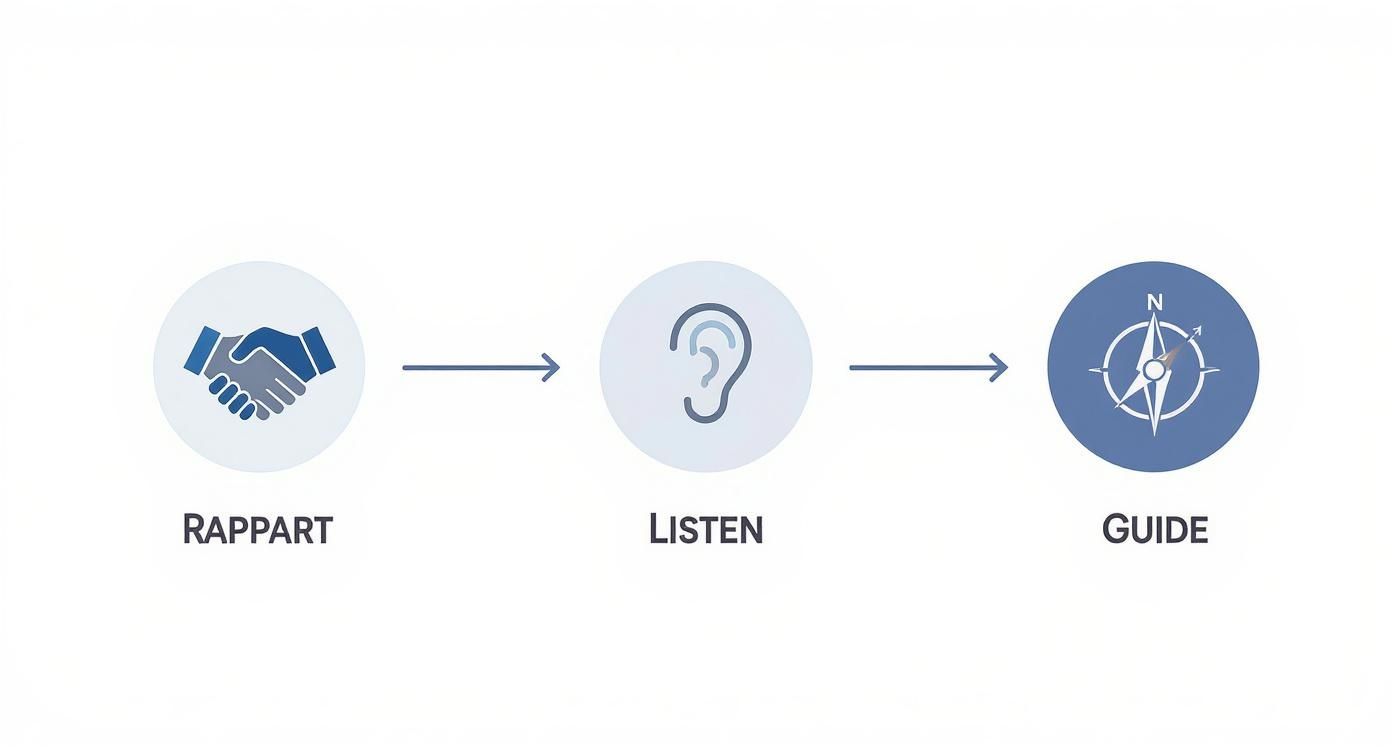
As you can see, a good interview moves smoothly from building rapport to active listening and then gently guiding the conversation. This ensures the data you collect is rich enough for a deep analysis.
Bringing Your Insights to Life
Once you have your themes, the final step is to package them in a way that tells a compelling story. Let's be real: a spreadsheet full of findings will be skimmed and forgotten. You need to translate your insights into formats that feel human. This is often where a detailed user experience audit can bridge the gap between what users said and the specific UI problems causing their pain.
To make your findings stick, consider creating deliverables like these:
- User Personas: These are fictional characters you create based on the patterns in your research. Give them a name, a photo, and a few key goals and frustrations. Example: "Meet 'Marketing Mary,' a 35-year-old marketing manager who needs to quickly pull campaign reports but struggles with our current data export options."
- Journey Maps: A journey map is a visual timeline of a user's experience with your product. It highlights their actions, thoughts, and feelings at every step, making it incredibly easy to pinpoint exact moments of friction.
We're also seeing a huge shift with AI-powered analysis tools, which are making this process much faster. The global market for user interview tools is expected to hit nearly $1.5 billion by 2033, growing at a CAGR of 12.5%. A lot of that growth is fueled by AI that can automatically transcribe interviews and suggest initial themes. You can dig deeper into these market trends in a report from Strategic Revenue Insights.
Answering Your Top User Interview Questions
Even the most seasoned researchers run into tricky situations during user interviews. Let's tackle some of the most common questions that pop up, so you can handle them like a pro.
How Many Users Do I Actually Need to Interview?
This is the classic question, and honestly, there's no single magic number. But a solid rule of thumb for qualitative research is to aim for 5 to 8 participants for each core user group you're studying.
Where does that number come from? The legendary Nielsen Norman Group published research showing that you can uncover about 85% of the major usability problems with just 5 users.
The real goal isn't hitting a specific number, but reaching saturation. That’s the point where you stop hearing new, surprising things and the same patterns keep coming up. If your user base is split into, say, "newbies" and "power users," you'll want to run 5-8 interviews for each of those groups.
What are the Biggest Mistakes I Need to Avoid?
It's surprisingly easy to accidentally steer the conversation in the wrong direction. I've seen it happen time and time again. Here are the big ones to watch out for:
- Asking leading questions. Avoid anything that hints at the answer you want. Instead of, "Don't you think this new design is much cleaner?" try a neutral prompt like, "Walk me through your first impressions of this design."
- Talking more than you listen. This is a tough one, especially when you're excited about your product. But your job is to listen. Get comfortable with silence—it gives the participant space to think and often leads to the best insights.
- Getting stuck in hypotheticals. People are terrible at predicting their own future behavior. Asking "What would you do if..." is just asking them to guess. Ground the conversation in reality by asking about their past experiences: "Tell me about the last time you tried to..."
- Pitching your product. This isn't a sales call. The second you start defending a feature or trying to convince the user of something, you've lost the chance for genuine feedback.
Your role is to be a curious student, not a product evangelist. The moment an interview feels like a sales pitch, you've lost the opportunity for honest feedback.
How Can I Make Remote Interviews Feel More Natural?
Running interviews over a video call can feel a bit awkward, but a little prep goes a long way. Always send simple, clear instructions ahead of time and ask the participant to do a quick tech check a few minutes before you start. Just a quick "Can you make sure your mic and camera are working?" saves a lot of headaches.
During the actual call, turn your own camera on. It builds trust and a much-needed human connection. I always start with a minute or two of small talk to help everyone relax before diving in.
Screen sharing is your best friend here—it lets you see exactly how a user interacts with something in their own environment. Most importantly, always get explicit permission to record the session. It lets you be fully present in the conversation instead of frantically trying to scribble down every single word.
This kind of detailed observation is crucial for new products, where understanding the real-world user journey is a core part of the MVP development for startups process.
At Pixel One, we turn these kinds of user insights into digital products that deliver real impact. If you're ready to build a product your users will love, let's talk. https://www.pixelonelabs.com