
UX Design Techniques: 10 Proven Ways to Craft Great UX
Master ux design techniques with practical, hands-on examples—from research to journey mapping—and build delightful, high-converting digital products.In a saturated market, a merely functional product is a forgotten product. Users demand more; they expect intuitive, engaging, and seamless experiences that solve their problems with minimal friction. The bridge between a basic concept and a product that users adopt, love, and recommend is built with a specific set of powerful UX design techniques. This isn't about abstract theory or chasing fleeting design trends. It's about a strategic, repeatable toolkit that translates deep user understanding into tangible, high-performing digital solutions.
This guide moves beyond surface-level advice to provide a comprehensive roundup of 10 essential methods. From a startup aiming for measurable growth to an enterprise undergoing digital transformation, mastering these techniques offers a structured framework for genuine innovation and user-centricity. We will explore how to map user emotions, validate ideas before a single line of code is written, and build systems that ensure consistency and scale.
Each section is designed for action. You will find not just what each technique is, but why it matters and how to implement it effectively. We’ll provide clear steps, practical examples from real products, and actionable insights to help you move from concept to execution. Prepare to learn how to apply these proven principles to create products that deliver exceptional user experiences and drive tangible business results.
1. User Research & Personas
At the core of all impactful UX design techniques is a deep understanding of the end-user. User research is the systematic process of gathering insights about your audience’s behaviors, needs, and motivations through methods like interviews, surveys, and observation. The culmination of this research is often the creation of user personas: detailed, semi-fictional archetypes that represent your key user segments.
Pioneered by Alan Cooper, this technique forces teams to move beyond assumptions and ground every design decision in real-world data. Personas provide a common language and a shared understanding of the user, ensuring that from developers to marketers, everyone is building for the same person. This alignment prevents costly rework and feature bloat by focusing development on what users truly need.
How to Implement This Technique
- Conduct Foundational Research: Begin by identifying your target user segments. Use a mix of qualitative methods (like in-depth interviews) and quantitative methods (like surveys). An actionable approach is to interview 5-7 users from a key segment to understand their goals and frustrations, then send a survey to a larger audience to validate those findings statistically.
- Synthesize Findings into Archetypes: Analyze the research data to identify recurring patterns in behavior, goals, and pain points. For example, you might find that one group of users prioritizes speed and efficiency, while another values detailed information and control. These clusters become your archetypes.
- Create Detailed Persona Documents: For each archetype, build a comprehensive one-page document. Include a name, photo, demographics, goals ("I want to track my monthly budget in under 5 minutes"), and frustrations ("I hate having to manually categorize every expense"). Crucially, add a quote that summarizes their primary motivation.
Real-World Example: Spotify
Spotify uses persona-driven development to guide its feature roadmap. By creating detailed personas for different listener types—like "Chloe the Commuter" who needs offline playlists for the subway, or "Alex the Party Host" who wants collaborative playlists—they can tailor features to specific contexts. This focus led to the creation of "Discover Weekly" for music explorers and "Group Session" for social listeners, ensuring new features solve real user problems.
Key Insight: Personas are not just demographic profiles; they are actionable tools that translate complex user research into a memorable and relatable format for the entire product team.
Actionable Tips for Success
- Go Beyond Demographics: Focus on psychographics and behaviors. A user's goals, motivations, and tech-savviness are often more important for design decisions than their age or location.
- Keep Personas Alive: User needs evolve. Update your personas at least once a year or after significant market shifts. A practical way to do this is to dedicate a small part of every usability test to re-validating persona assumptions.
- Socialize Across Teams: Share persona documents widely and integrate them into your workflow. Refer to them by name in meetings ("Would 'Chloe the Commuter' find this feature useful?") to keep the user front-and-center in all decisions.
This foundational technique is indispensable for any project, especially during the initial discovery and strategy phases. To dive deeper into the research process, explore our detailed guide on how to conduct effective user interviews.
2. User Journey Mapping
While personas help us understand who our users are, user journey mapping reveals the full story of how they interact with our product or service over time. This UX design technique visually charts the user's complete experience, step-by-step, as they work toward a specific goal. It captures not just actions and touchpoints but also their thoughts, emotions, and pain points at each stage.
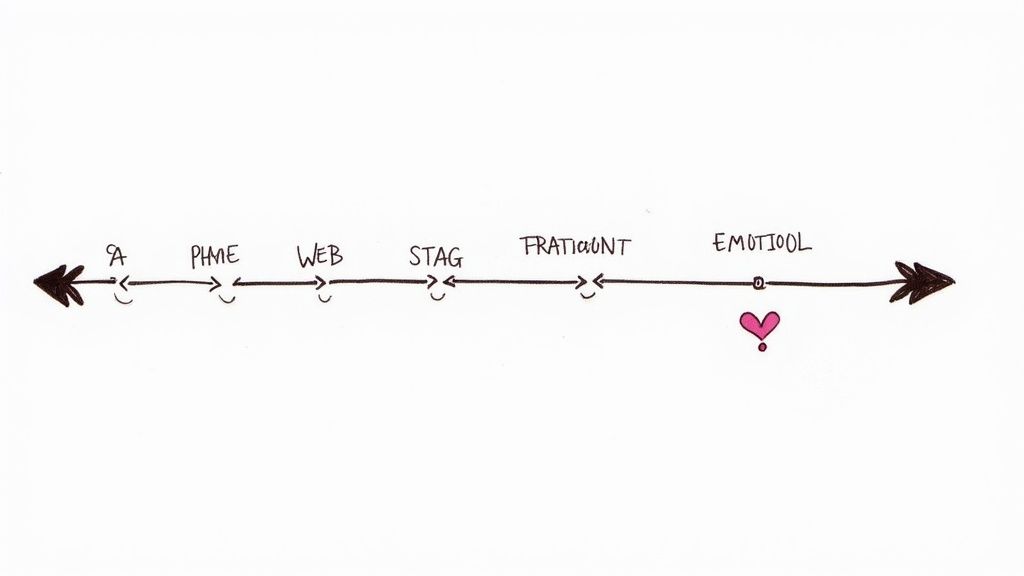
Popularized by thought leaders like Jim Kalbach and firms like Adaptive Path, this method provides a holistic, narrative-driven view of the user experience. By mapping the entire path, teams can identify critical moments of friction, uncover opportunities for improvement, and ensure a seamless, cohesive experience across all channels. It shifts the focus from designing individual screens to orchestrating a complete, end-to-end journey.
How to Implement This Technique
- Define Scope and Persona: Start by choosing a specific persona and a scenario. For example, map the journey of a "First-Time Buyer" persona from seeing an Instagram ad to receiving their package. Limiting the scope makes the exercise manageable and focused.
- Outline Stages and Touchpoints: List the high-level stages (e.g., Awareness, Consideration, Purchase, Delivery, Support). Within each stage, identify specific touchpoints: the Instagram ad, the product page, the checkout form, the shipping confirmation email, the customer support chat.
- Map Actions, Thoughts, and Emotions: For each touchpoint, document what the user is doing (action: "adds item to cart"), thinking (thought: "is shipping free?"), and feeling (emotion: "excited but anxious about cost"). Use an "emotional lane" to plot their satisfaction level, highlighting peaks (delight) and valleys (frustration).
Real-World Example: Delta Airlines
Delta Airlines famously used journey mapping to improve the airport experience. Instead of just focusing on their app, they mapped the entire journey from "leaving home" to "boarding the plane." This revealed that a major pain point was anxiety at baggage claim. This insight led directly to the development of their app's real-time bag tracking feature, which sends push notifications to passengers, turning a moment of anxiety into one of reassurance.
Key Insight: A user journey map is a powerful empathy-building tool that forces a business to see its services from the customer's perspective, revealing gaps between different departments and touchpoints.
Actionable Tips for Success
- Map Emotional Highs and Lows: Don't just list actions. Charting the user's emotional state helps pinpoint the "moments of truth" that have the biggest impact. The checkout page error is a more critical frustration to solve than a minor typo on the "About Us" page.
- Collaborate with Frontline Staff: Involve customer service, sales, and support staff in your mapping workshop. They can provide invaluable, real-world insights, like "customers always call us confused about step 3 of the setup process."
- Identify 'Opportunity' Lanes: Add a row to your map called "Opportunities." For every identified pain point, brainstorm a potential solution. A frustrated user at checkout? Opportunity: "Add a guest checkout option."
User journey mapping is crucial for identifying service gaps and creating a consistently positive experience. A detailed map can directly inform your development strategy, as explored in this guide on the process to develop an app.
3. Wireframing & Prototyping
Moving from abstract user needs to a tangible product requires a structured visual process. Wireframing and prototyping are fundamental UX design techniques that translate concepts into low-to-high-fidelity representations of an interface. A wireframe is a blueprint focusing on layout and information architecture, while a prototype adds interactivity to simulate the user flow and test functionality before a single line of code is written.
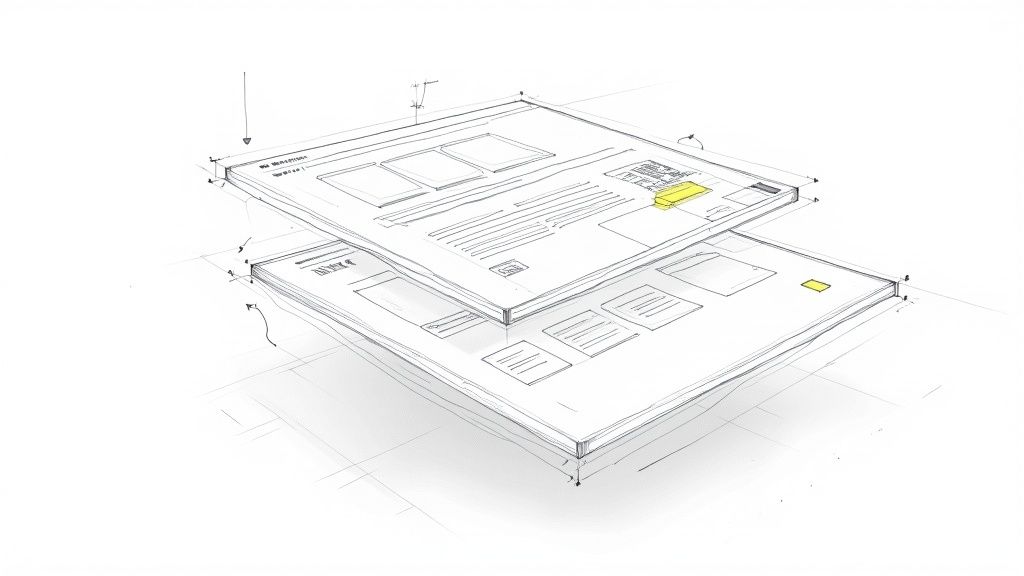
Popularized by tools like Balsamiq and now dominated by platforms like Figma and Adobe XD, this two-stage approach allows teams to fail fast and iterate cheaply. By visualizing structure and testing interactions early, designers can identify usability issues, validate navigation, and align stakeholder expectations. This critical step bridges the gap between research-driven ideas and a fully developed product, saving immense resources and development time.
How to Implement This Technique
- Start with Low-Fidelity Sketches: Begin with pen and paper or a simple tool like Whimsical to rapidly sketch 3-4 different layouts for a key screen. The goal is speed, not polish. This helps you explore ideas without getting attached to a single direction too early.
- Develop Interactive Wireframes: Convert the most promising sketches into digital, low-fidelity wireframes using a tool like Figma. Focus on structure, not colors or fonts. Critically, link the screens together to create a clickable prototype. For example, make the "Login" button navigate to the "Dashboard" screen.
- Build High-Fidelity Prototypes: Once the basic flow is validated, create a high-fidelity prototype that includes branding, final UI elements, and micro-interactions. This detailed version should look and feel like the final product and is used for late-stage usability testing with users.
Real-World Example: Airbnb
Before launching its "Experiences" feature, Airbnb's team built dozens of high-fidelity prototypes. They tested different user flows for tasks like "find a cooking class near you for this weekend." By observing real users interact with these prototypes, they discovered that people were more likely to book when they could see the host's profile prominently. This insight led them to redesign the page to feature the host, which proved critical to the feature's success.
Key Insight: Wireframes are for structuring content and layout, while prototypes are for testing interaction and flow. Using both in sequence is essential for validating a design before committing to development.
Actionable Tips for Success
- Annotate Everything: Clearly label your wireframes with notes explaining interactions. For example, next to a form, add a note: "Error state: If email is invalid, field border turns red and this message appears." This provides crucial context for developers and stakeholders.
- Test with Real Users: Don't just click through your prototype yourself. Give it to 5 target users with a specific task, like "Sign up for a new account." You will quickly uncover confusing labels or awkward flows you missed.
- Use Real Content: Instead of "Lorem Ipsum," use realistic text and images in your high-fidelity prototypes. This helps stakeholders and test users give more accurate feedback, as they can see how the design works with actual content.
This technique is essential in the design and validation phases of a project. To build a strong foundation for this process, explore our complete tutorial on how to create effective wireframes.
4. Information Architecture (IA)
Information Architecture (IA) is the foundational art and science of organizing and labeling content to support findability and usability. It acts as the digital blueprint for your website or application, defining the hierarchy, navigation, and categorization of information. A strong IA ensures that users can intuitively find what they are looking for without feeling lost or overwhelmed.
Pioneered by figures like Richard Saul Wurman and further developed by Peter Morville and Louis Rosenfeld, this technique transforms chaos into clarity. Effective IA is invisible to the user; things are simply where they expect them to be. This reduces cognitive load, increases user efficiency, and builds trust by making complex information systems feel predictable and easy to navigate, forming the backbone of all effective UX design techniques.
How to Implement This Technique
- Conduct a Content Inventory: Create a spreadsheet and list every single page or key screen in your product. For each item, note its purpose, owner, and last-updated date. This audit reveals outdated, redundant, or missing content.
- Perform Card Sorting: Write key topics or features on digital or physical cards (e.g., "Account Settings," "Billing History," "Customer Support"). Ask 10-15 users to group these cards into categories that make sense to them. This reveals their mental models for how your content should be structured.
- Develop a Sitemap: Based on the card sorting results, create a visual sitemap that shows the hierarchical structure of your product. This becomes the blueprint for your main navigation, sub-navigation, and overall content relationships.
Real-World Example: Amazon
Amazon’s IA is a masterclass in managing complexity. When you search for "running shoes," you don't just get a list of products. You get a faceted navigation system on the left that allows you to filter by categories that match your mental model: "Brand," "Size," "Color," "Customer Rating." This IA, derived from understanding how people shop, is what makes finding one product among millions feel manageable.
Key Insight: Great IA isn't about the designer's logic; it's about reflecting the user's mental model. When the structure of your system matches how users think, the experience feels effortless.
Actionable Tips for Success
- Test Your Hierarchy with Tree Testing: Before designing any screens, validate your proposed sitemap with a "tree test." Give users a task (e.g., "Find where you would update your password") and have them click through your text-based hierarchy. If most users succeed, your structure is strong.
- Use Consistent Naming: If you call it "My Profile" in the main navigation, don't call it "Account Settings" in the footer. Use clear, consistent labels everywhere to avoid confusing users.
- Don't Go Too Deep: As a rule of thumb, aim to keep critical information no more than three clicks away from the homepage. A flat IA is often easier to navigate than a deep, nested one.
IA is a critical step in the early design and strategy phases, especially for content-heavy websites or complex applications. To learn more about organizing content effectively, explore the resources at the Information Architecture Institute.
5. Usability Testing
While personas help you design for the user, usability testing is the crucial UX design technique that validates whether your design actually works for them. This empirical method involves observing real users as they interact with your product or prototype to complete specific tasks. It bridges the gap between assumption and reality, providing direct evidence of what is clear, what is confusing, and where users get stuck.
Popularized by pioneers like Steve Krug and the Nielsen Norman Group, this technique is founded on the principle of "watching people try to use what you're making." The insights gathered are not opinions; they are observational data that reveal real-world behaviors. This process uncovers critical usability issues before development, saving immense time and resources by fixing problems when they are still easy and cheap to address.
How to Implement This Technique
- Define Test Goals and Tasks: Create a set of realistic, scenario-based tasks. Instead of "Click the Sign Up button," use "Imagine you're new to this service. Go ahead and create an account." This contextual framing elicits more natural user behavior.
- Recruit Representative Users: Find 5-8 participants who match your target personas. You can use services like UserTesting.com for quick recruitment or reach out to your own customer base. The key is that they represent your real audience, not your internal team.
- Conduct and Observe the Sessions: Ask users to "think aloud" as they perform tasks. Your role is to be a neutral facilitator. If a user gets stuck, instead of helping, ask, "What are you looking for here?" or "What did you expect to happen?" Record sessions (with permission) for later analysis.
Real-World Example: Google
Google's teams relentlessly use usability testing. Before launching the redesigned date filters in Google Flights, they tested prototypes with users. They observed that many users struggled with a calendar-style interface for selecting long-range dates. Based on this direct observation, they simplified the design to focus on trip duration (e.g., "a 1-week trip in May"), which tested much better and became the final design.
Key Insight: Usability testing is not about asking users if they like your design. It's about observing their behavior to see if they can use it successfully and efficiently.
Actionable Tips for Success
- Test Early and Often: Test your paper sketches or low-fidelity wireframes. It's much cheaper to discover a fundamental flow is broken at this stage than after it's been coded.
- Observe, Don't Lead: Avoid asking questions like, "That was easy, wasn't it?" This biases the user. Instead, ask open-ended questions like, "How did that compare to what you expected?" to get honest feedback.
- Create a 'Rainbow Spreadsheet': After testing, list your key findings in a spreadsheet. For each finding, color-code the cells representing which test participants encountered that issue. This visually highlights the most frequent and critical problems to fix first.
This validation technique is critical throughout the design lifecycle, from early concepts to post-launch optimization. To get a comprehensive view of your product's performance, consider how these findings fit into a larger evaluation with a complete user experience audit.
6. A/B Testing & Multivariate Testing
While qualitative research tells you why users behave a certain way, quantitative testing tells you what they do at scale. A/B testing is a powerful UX design technique used to compare two versions of a single design element (e.g., button color, headline text) to see which performs better against a specific goal. Multivariate testing takes this further by testing multiple variable combinations simultaneously to identify the highest-performing combination.
Pioneered in the data-driven cultures of companies like Google and Amazon, this experimentation method removes guesswork from the design process. It provides empirical evidence to validate or invalidate design hypotheses, ensuring that incremental changes lead to measurable improvements in user engagement, conversion rates, and overall product success. This is crucial for optimizing high-traffic pages or critical user flows where small tweaks can have a massive business impact.
How to Implement This Technique
- Formulate a Clear Hypothesis: Start with a specific, testable hypothesis based on an observation. For example: "Based on user feedback that our pricing is unclear, we believe that changing the headline from 'Our Plans' to 'Simple Pricing for Every Team' will increase clicks on the 'Sign Up' button by 15%."
- Create Design Variations: Develop the control (the original design, "A") and the variant (the new design, "B"). In A/B testing, only change one variable. For the example above, you would only change the headline text and nothing else.
- Run the Experiment and Analyze Data: Use a tool like Optimizely or VWO to split your website traffic between the two versions. Run the test until you reach statistical significance (usually a 95% confidence level), then determine if your hypothesis was correct.
Real-World Example: Netflix
Netflix famously uses A/B testing to optimize the artwork for its shows. For a single show like Stranger Things, they will test multiple thumbnail images with different user segments. By measuring which image gets the most clicks ("plays"), they can algorithmically determine the most effective artwork to display for different types of users, directly increasing engagement and watch time.
Key Insight: A/B testing is not about settling design debates based on opinion; it's about letting user behavior provide definitive, data-backed answers to critical design questions.
Actionable Tips for Success
- Define Your Primary Metric First: Before launching, decide on the single metric that defines success. Is it click-through rate? Form completions? A clear metric prevents you from cherry-picking data later to declare a winner.
- Ensure Statistical Significance: Don't stop a test as soon as one version is ahead. Run it for a full business cycle (e.g., one or two weeks) to gather enough data and ensure the result isn't due to random chance.
- Combine with Qualitative Insights: If version B wins, try to understand why. Follow up with a simple on-page survey asking users what they liked about the new design. This insight can inform future hypotheses.
This optimization technique is invaluable for refining existing products and maximizing performance in key conversion funnels. For more on creating effective test plans, review this guide on building a strong A/B testing hypothesis.
7. Design Systems & Component Libraries
As digital products grow in complexity, maintaining brand and user experience consistency becomes a monumental challenge. A design system is a comprehensive, centralized collection of reusable components, design patterns, and clear standards that can be assembled to build any number of applications. This UX design technique serves as the single source of truth for both designers and developers.
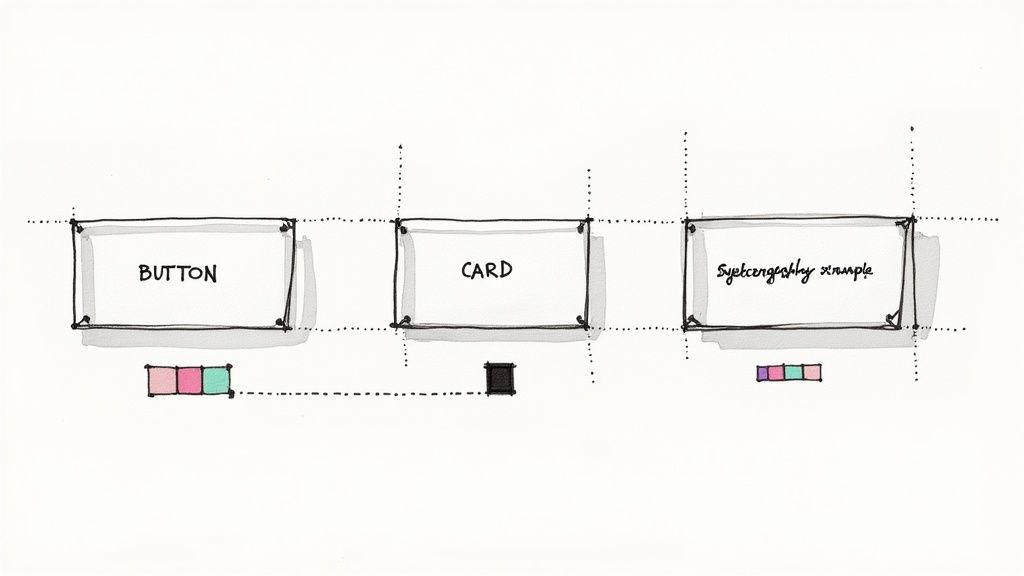
Popularized by methodologies like Brad Frost's Atomic Design and exemplified by Google's Material Design, this approach eliminates ambiguity and accelerates the entire product development lifecycle. Instead of redesigning a button for the tenth time, teams can pull a pre-approved, pre-coded component from a library. This frees up valuable time to focus on solving complex user problems rather than reinventing the wheel.
How to Implement This Technique
- Conduct an Interface Inventory: Take screenshots of all unique UI elements across your products. You'll likely find 15 different styles of "primary buttons." Grouping these inconsistencies visually is a powerful way to get stakeholder buy-in for creating a system.
- Define Core Design Principles: Establish your foundational "design tokens." These are not components but the raw ingredients: your primary brand color (
#4A90E2), your body text font size (16px), and your standard spacing unit (8px). These tokens ensure consistency at the most granular level. - Build and Document Components: Start by building your most-used "atomic" components, like buttons and form inputs. For each one, document its purpose, states (default, hover, disabled), and clear "do's and don'ts." For example, "Do use a primary button for the main call to action on a page. Don't use more than one primary button per screen."
Real-World Example: Shopify Polaris
Shopify's Polaris design system is a masterclass in coherence. It provides a robust set of components and patterns for anyone building apps for Shopify merchants. For example, its "Resource List" component provides a pre-built, accessible way to display lists of customers or products. By using this standard component, third-party developers can create apps that feel seamlessly integrated into the core Shopify platform, building trust with merchants.
Key Insight: A design system is not just a UI kit; it is a living product that codifies design decisions, bridges the gap between design and development, and scales quality across an organization.
Actionable Tips for Success
- Start Small and Iterate: Don't try to build the entire system at once. Begin with core components like buttons, typography, and colors. Release this "version 1" and gather feedback from teams using it before expanding.
- Establish Clear Governance: Create a process for how new components are added. A practical model is a "Design System Guild" with representatives from different product teams who meet bi-weekly to review proposals and ensure the system meets everyone's needs.
- Prioritize Documentation: A component without clear usage guidelines is easily misused. Your documentation should be a searchable website with live code snippets, do's and don'ts, and accessibility notes for every single component.
This technique is essential for organizations managing multiple products or large teams, as it ensures consistency and efficiency at scale. To see a powerful system in action, explore the comprehensive documentation of Google's Material Design.
8. Accessibility Design (A11y/WCAG)
Accessibility (often abbreviated as A11y) is the practice of designing products, services, and environments to be usable by everyone, including people with disabilities. This UX design technique ensures that digital experiences accommodate visual, auditory, motor, and cognitive differences by adhering to standards like the Web Content Accessibility Guidelines (WCAG). It's not a final checklist item but an inclusive mindset integrated throughout the entire design process.
Championed by organizations like the W3C Web Accessibility Initiative, this approach moves beyond mere compliance to create genuinely equitable experiences. By designing for the widest possible range of abilities, teams not only open their products to a larger audience but also improve usability for all users. Features like high-contrast text and clear navigation benefit everyone, especially in varied contexts like bright sunlight or high-stress situations.
How to Implement This Technique
- Integrate Early and Often: Add accessibility criteria to your "definition of done" for design and development tasks. For a design task, this might be "All text colors meet a minimum 4.5:1 contrast ratio." For a development task, "All interactive elements are keyboard navigable."
- Follow WCAG Standards: Use the Web Content Accessibility Guidelines as your practical checklist. Start by aiming for Level AA compliance. Focus first on high-impact items like adding alt text to all informative images and ensuring all form fields have proper labels.
- Test with Assistive Technologies: Go beyond automated checks. Download a screen reader like NVDA (free) or use VoiceOver (built into Apple devices) and try to navigate your site using only your keyboard. This firsthand experience will quickly reveal major barriers.
Real-World Example: Microsoft
Microsoft's "Seeing AI" app is a prime example of accessibility-driven innovation. Designed for the blind and low-vision community, it uses a phone's camera to describe nearby people, text, and objects. This not only provides a crucial service but the technology developed for it has also improved object recognition capabilities in other Microsoft products, demonstrating how designing for the "edge cases" can benefit everyone.
Key Insight: Accessibility is not a niche requirement; it is a fundamental pillar of good design that drives innovation and enhances the user experience for every single person.
Actionable Tips for Success
- Involve Users with Disabilities: The most effective action you can take is to include people with disabilities in your usability testing. Their direct feedback is more valuable than any automated report.
- Prioritize Semantic HTML: Use HTML elements for their intended purpose. Use a
<button></button>tag for a button, not a<div> you style to look like one. This provides a solid, accessible foundation for assistive technologies for free.<li><strong>Ensure Sufficient Color Contrast:</strong> Use a free online tool like the "Contrast Checker" to verify that your text and background colors meet the WCAG 4.5:1 ratio for normal text. This is a simple, high-impact fix.</li><p>This technique is essential for all projects, particularly those for public sector, enterprise, or broad consumer audiences. For a deeper understanding of the standards, refer to the official <a href="https://www.w3.org/TR/WCAG21/">Web Content Accessibility Guidelines (WCAG)</a>.</p><h2>9. Interaction Design & Animation</h2><p>Beyond static screens, interaction design focuses on the dialogue between a user and a product. This UX design technique involves crafting the behavior of an interface, using motion, animation, and feedback to guide users, communicate status changes, and make the experience feel intuitive and alive. It’s about designing the moments <em>between</em> the screens, from the smallest microinteraction to major screen transitions.</p><p>Pioneered by thinkers like Don Norman, this discipline transforms a functional interface into an engaging and responsive one. Thoughtful animation provides crucial feedback, directs attention, and reinforces the user’s sense of control. When done well, it reduces cognitive load by visually explaining how the system works, making complex actions feel simple and direct.</p><h3>How to Implement This Technique</h3><ol><li><strong>Map Interaction States:</strong> For a simple button, define its visual appearance for every state: <code>default(ready to be pressed),hover(cursor is over it),focused(selected via keyboard),pressed(being clicked), anddisabled(not interactive). This ensures the interface communicates clearly. - Define Motion Principles: Create a few simple rules for animation. For example: "Elements entering the screen slide in from the direction they came from. Pop-up modals fade in and scale up from the center. Durations for feedback animations are 200ms." This creates a consistent and predictable feel.
- Prototype and Test: Use a tool like Framer or ProtoPie to build high-fidelity prototypes that include motion. Test these on a real device. Does the animation feel sluggish? Is it distracting? Getting feedback on the feel is crucial.
- Keep It Fast: For feedback on user actions (like a button press), animations should be under 300 milliseconds. Anything longer can make your app feel slow and unresponsive.
- Guide, Don't Distract: Use motion to draw the user's eye to something important. When a new item is added to a list, have it subtly fade in. This helps the user notice the change without being jarring.
- Respect User Preferences: Modern operating systems have a "prefers-reduced-motion" setting. Your code should detect this and disable or simplify non-essential animations to provide a comfortable experience for users who are sensitive to motion.
- Ensure Purposeful Transitions: When navigating between screens, use animation to show the relationship between them. If a user taps on a list item and it expands to a detail view, the animation should visually connect the two states, helping the user maintain context.
- Define a Brand Personality: Is your product a helpful expert, a playful cheerleader, or a calm guide? This choice informs everything. A "playful cheerleader" personality might use celebratory animations and exclamation points, while a "calm guide" would use serene colors and reassuring copy.
- Identify Moments for Delight: Map the user journey and find key moments to add a positive touch. Practical examples include: the first-time onboarding, completing a major task (like submitting a form), or handling an error. A boring 404 page can become a delightful brand moment with a creative illustration and helpful links.
- Craft with Micro-interactions: Use subtle details to make interactions satisfying. When a user completes all tasks on their to-do list, a simple checkmark animation and a positive sound effect can create a powerful sense of accomplishment and delight.
- Be Authentic and Consistent: Your error message copy should match your marketing copy. If your brand is fun and informal, an error message can say "Oops! Something went sideways." If your brand is professional, it should be "An error has occurred. Please try again." Inconsistency feels jarring and damages trust.
- Use Delight Purposefully: Reserve delightful moments for key interactions where they add value. A confetti animation every single time a user clicks a button would become annoying. A confetti animation when they make their first purchase is a memorable celebration.
- Turn Frustration into Opportunity: An error state is a moment of high user frustration. You can diffuse this by using helpful, human language instead of a generic "Error code 500." A good error message explains what happened in plain language and tells the user exactly what to do next.
- A/B Testing provides quantitative proof that a new button design improves conversions.
- Interaction Design and subtle animations can guide a user's attention and make complex tasks feel intuitive.
- A comprehensive Design System ensures consistency at scale, freeing up your team to focus on solving new user problems instead of reinventing the wheel.
- Start Small, But Start Now: You don't need a massive budget to begin. Pick one technique that addresses your most pressing knowledge gap. Is your team unsure who your users are? Start with simple user interviews to build provisional personas. Are you getting feedback that your navigation is confusing? Conduct a quick card sorting exercise with 10 users to improve your information architecture.
- Foster a Culture of Feedback: Make user feedback a central part of your team's culture. Share insights from usability tests, display user journey maps prominently, and celebrate design decisions that are validated by real user data. This transforms UX from a siloed function into a shared responsibility.
- Iterate, Don't Perfect: Embrace the iterative nature of design. Your first wireframe won't be perfect, and your initial prototype will have flaws. The goal is not immediate perfection but continuous learning. Each iteration, informed by user feedback and testing, brings you one step closer to an exceptional product that drives measurable growth and earns lasting customer loyalty.
Real-World Example: Slack
Slack excels at purposeful microinteractions. When you drag and drop a file to upload it, the entire application window dims and a clear "Drop to upload" target appears. This interaction does two things: it confirms the system has understood your intent (dragging a file) and it guides you on where to release it. This small, thoughtful animation prevents errors and builds user confidence.
Key Insight: Interaction design isn’t about adding decorative animations; it’s a functional tool used to improve usability, provide clarity, and create a more responsive connection between the user and the interface.
Actionable Tips for Success
This technique is crucial for any interactive product, especially in mobile apps and web applications where smooth feedback is expected. To see how these principles are applied in practice, check out our work with leading digital products.
10. Emotional Design & Delight
Beyond mere functionality and usability, a truly exceptional user experience taps into human emotion. Emotional design is the deliberate practice of crafting interfaces that evoke positive feelings, creating memorable and enjoyable interactions. This technique, popularized by Don Norman, focuses on the visceral, behavioral, and reflective levels of cognitive processing to build a deeper connection with users.
Adding elements of delight, personality, and thoughtfulness transforms a transactional tool into a relatable brand experience. By focusing on how an interface makes a user feel, designers can foster brand loyalty, increase engagement, and differentiate a product in a crowded market. This approach recognizes that users are not just logical processors of information but emotional beings who value connection and joy.
How to Implement This Technique
Real-World Example: Duolingo
Duolingo is a master of emotional design. When a user gets an answer correct, the app provides immediate positive reinforcement with a satisfying "ding" sound and a green checkmark. When they complete a lesson, their mascot, Duo, does a happy dance. These small, consistent moments of positive feedback turn the chore of learning a language into an engaging and rewarding game, motivating users to keep coming back.
Key Insight: Emotional design is not about adding decorative fluff; it's a strategic UX design technique that uses psychology to build a meaningful, long-term relationship between the user and the product.
Actionable Tips for Success
This technique is particularly powerful during the onboarding phase, where a positive first impression is critical. Explore how to build these connections from the start with our guide on designing a product-led onboarding experience.
10-Point Comparison of UX Design Techniques
| Technique | Implementation complexity | Resource requirements | Expected outcomes | Ideal use cases | Key advantages |
|---|---|---|---|---|---|
| User Research & Personas | Medium–High (planning + analysis) | Moderately high: researchers, participants, tools | Validated user needs, personas, prioritized pain points | New product discovery, strategy, redesigns | Reduces bias, guides prioritization, aligns teams |
| User Journey Mapping | Medium (workshops + synthesis) | Cross-functional time, facilitators, research inputs | Holistic experience maps, touchpoint & emotion insights | Service design, multi-channel experiences | Reveals friction, aligns stakeholders, spots opportunities |
| Wireframing & Prototyping | Low–High (depends on fidelity) | Design tools, prototyping platforms, designers | Testable interfaces, early feedback, iteration-ready concepts | Feature validation, usability testing, stakeholder demos | Identifies issues early, reduces dev rework, enables testing |
| Information Architecture (IA) | Medium–High (taxonomy + testing) | Content strategists, user testing (card/tree), stakeholders | Clear navigation, taxonomy, improved findability | Large content sites, e-commerce, complex information systems | Improves discoverability, scalable structure, consistent mental models |
| Usability Testing | Low–Medium (session setup to analysis) | Participants, facilitator, recording/tools | Concrete usability issues, task success rates, qualitative insights | Pre-launch validation, iterative design cycles | Empirical evidence, uncovers real behaviors, cost-effective |
| A/B & Multivariate Testing | High (statistical design + infra) | Analytics, engineering, large traffic, experiment tooling | Quantitative performance differences, conversion lifts | Conversion optimization, data-driven feature decisions | Provides statistically backed decisions, scalable optimization |
| Design Systems & Component Libraries | High (upfront build + governance) | Cross-discipline team, design/dev tooling, maintenance | Consistent UI, faster implementation, reusable components | Multi-product platforms, scaling design/dev teams | Ensures consistency, speeds delivery, reduces design debt |
| Accessibility Design (A11y/WCAG) | Medium–High (standards + testing) | Accessibility expertise, assistive tech testing, tools | Inclusive, WCAG-aligned product, broader audience reach | Public services, regulated industries, inclusive products | Expands market, reduces legal risk, improves overall UX |
| Interaction Design & Animation | Medium (design + technical polish) | Motion designers, front-end devs, testing on devices | Clear feedback, guided attention, improved perceived performance | Consumer apps, interaction-rich interfaces, onboarding flows | Enhances usability, provides feedback, creates delight when purposeful |
| Emotional Design & Delight | Medium (brand + UX alignment) | UX writers, designers, user testing for tone | Stronger engagement, brand affinity, memorable moments | Consumer brands, retention-focused products, marketing touchpoints | Boosts engagement and loyalty, differentiates brand through personality |
Putting It All Together: Your Path to User-Centric Excellence
We have journeyed through ten foundational UX design techniques, from the initial discovery of User Research and Personas to the structural rigor of Information Architecture and the experiential polish of Emotional Design. Each technique serves a distinct purpose, yet their true power is unlocked when they are integrated into a cohesive, iterative process. Think of them not as isolated steps on a checklist, but as interconnected gears in a well-oiled machine, all working together to create a seamless and engaging user experience.
The path from a vague idea to a successful product is paved with these deliberate, user-focused methodologies. A well-defined User Journey Map loses its impact without the foundational insights from robust personas. A visually stunning Prototype is ultimately ineffective if it fails Usability Testing or ignores the critical principles of Accessibility Design. The most potent products are born from this continuous cycle of understanding, building, testing, and refining. This iterative loop is where assumptions are challenged, hypotheses are validated, and true user-centric innovation happens.
The Shift from Features to Experiences
Mastering this collection of UX design techniques empowers you to make a critical strategic shift. It allows you to move beyond a feature-first mindset, where success is measured by the sheer number of functions, to an experience-first approach, where success is measured by user satisfaction, engagement, and loyalty. This is the difference between building a product that merely works and crafting an experience that users genuinely love.
This user-centric philosophy ensures that every design decision is purposeful and evidence-based.
By weaving these practices into your workflow, you de-risk your product development process. You stop guessing what users want and start building what you know they need, based on direct observation, feedback, and behavioral data. This approach not only leads to better products but also optimizes resources, reduces costly rework, and accelerates your time to market with a solution that truly resonates.
Your Actionable Next Steps
The journey to user-centric excellence is ongoing. It requires curiosity, empathy, and a commitment to continuous improvement. To start implementing these powerful UX design techniques today, consider these immediate next steps:
Ready to transform your ideas into exceptional, user-validated products? At Pixel One, we integrate these proven UX design techniques into our end-to-end development process to build solutions that not only function flawlessly but also delight users. Partner with us to bring your vision to life by visiting Pixel One and discovering how our expert team can help you achieve user-centric excellence.